AI CRM · made in Switzerland

The AI CRM that closes.

Contacts, opportunities, shared inbox, quotes, contracts, invoices and subscriptions in one system. The AI drafts the replies and tells each seller where to start.

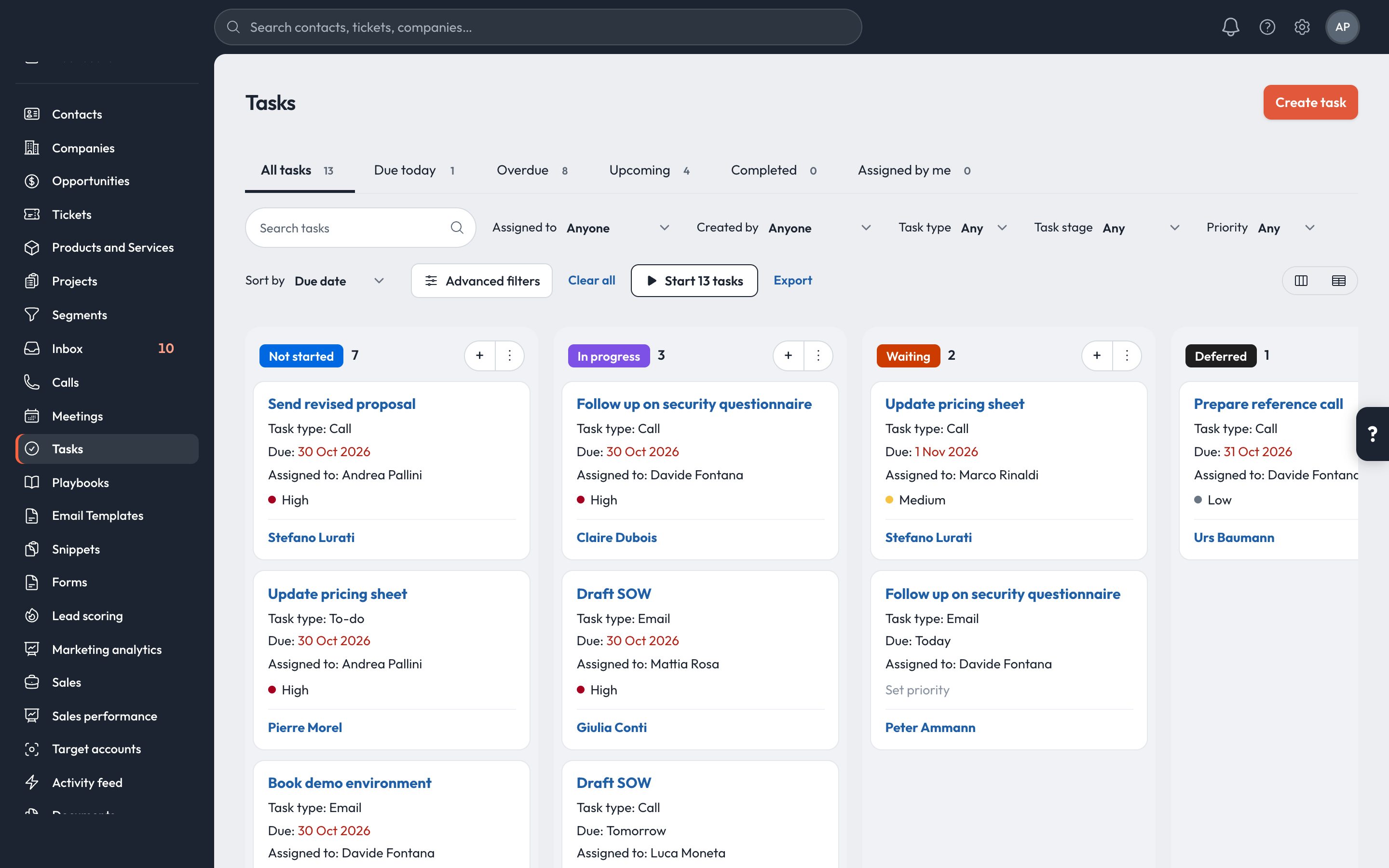
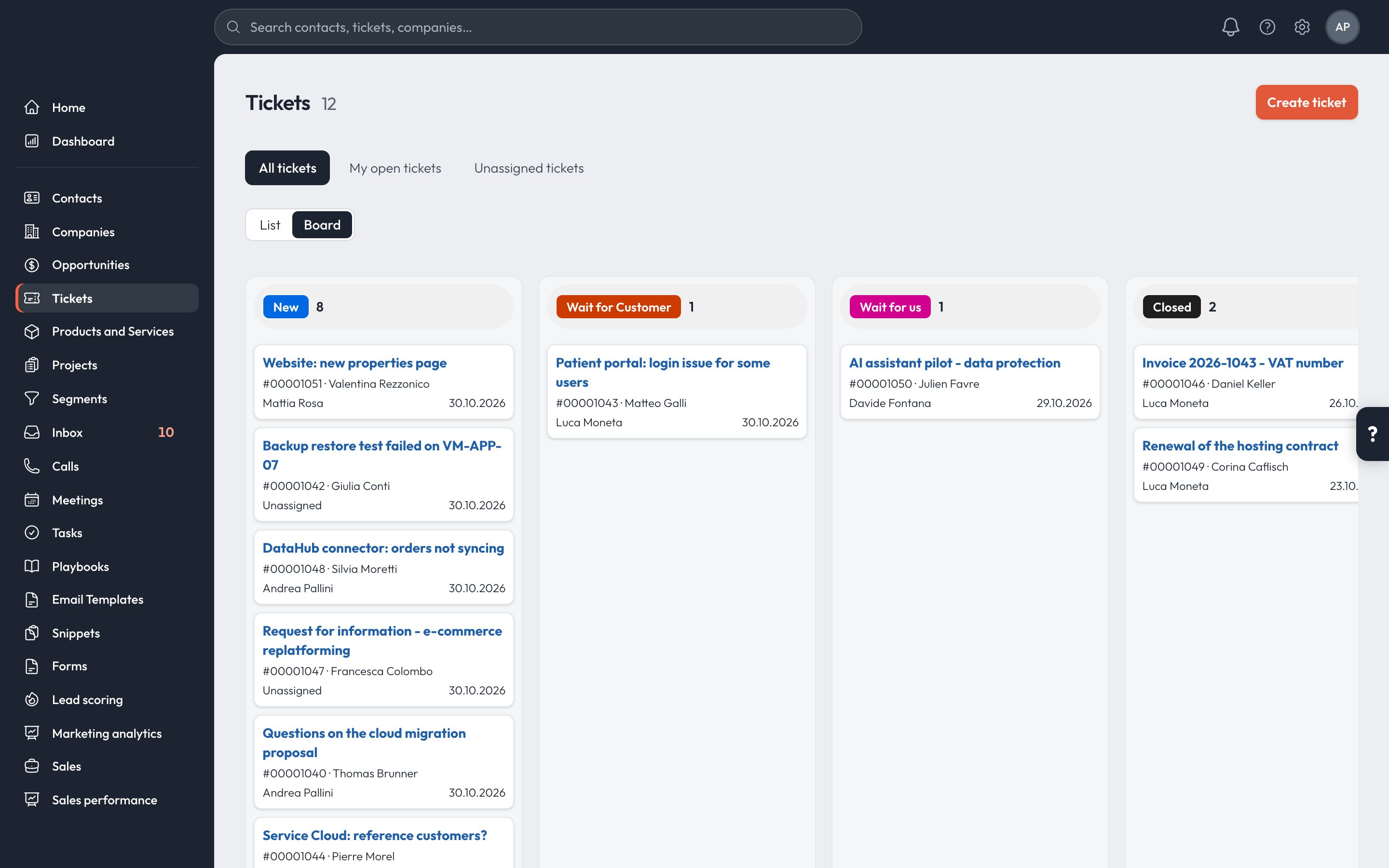
Screens below are the real product, with demo data.

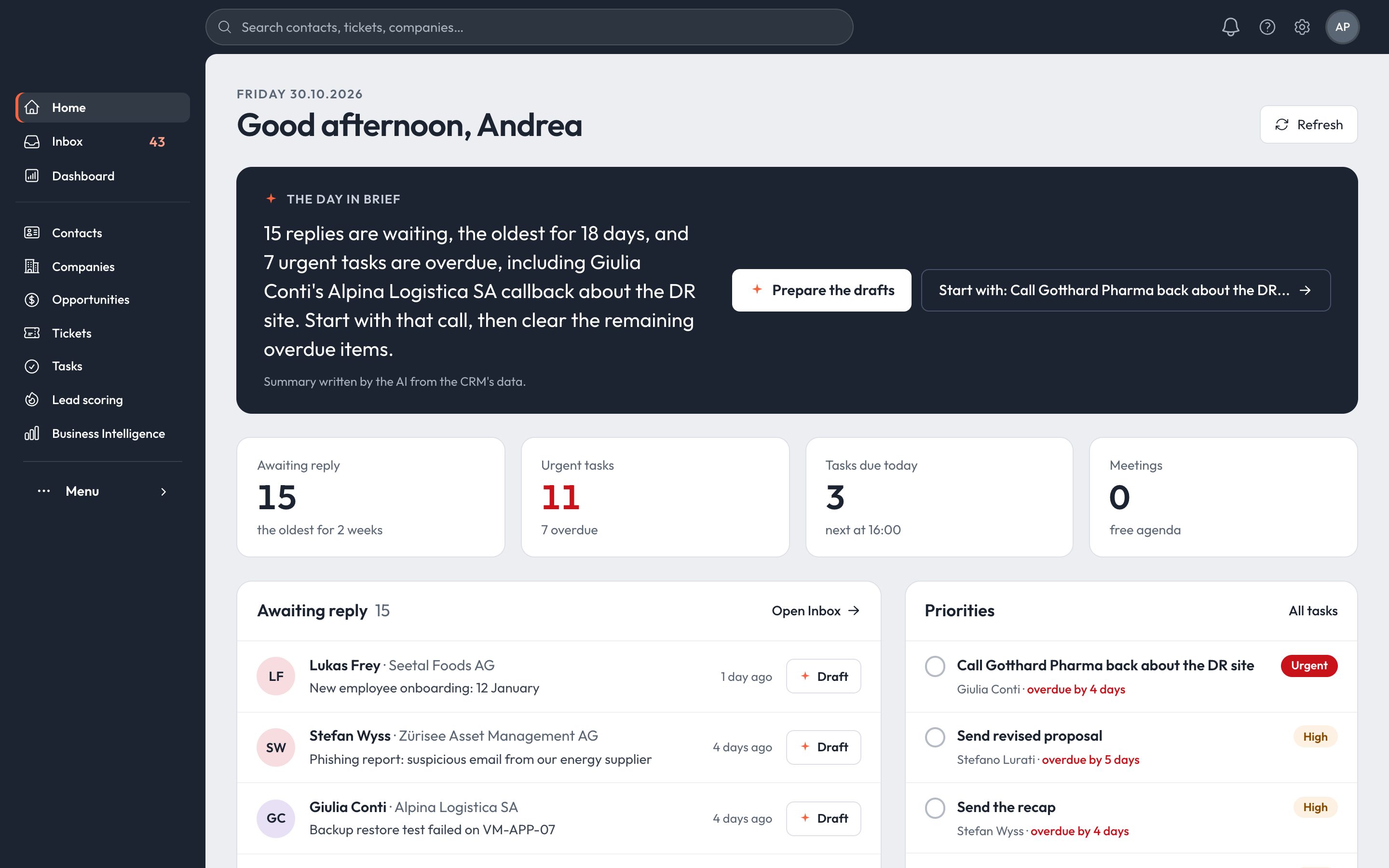
The CRM home page: the AI summary of the day, replies waiting, urgent tasks and today's meetings
Closed won · OctoberCHF 559'500124% of goal
Open pipelineCHF 2'726'110227 opportunities
Awaiting reply15 customersAI drafts ready
44modules in one product, on the same customer data
6channels in one inbox: email, calls, SMS, Messenger, Instagram, forms
1,700+automated tests run before every release
0add-ons to buy: billing, service and reporting are included

Every morning the AI reads replies, tasks and meetings, and gives each seller a short plan for the day.

The day in brief

15 replies are waiting, the oldest for 18 days, and 7 urgent tasks are overdue, including the call back to Gotthard Pharma about the DR site. Start with that call, then work through the overdue items.

Prepare the draftsStart with: Call Gotthard Pharma →
Written by the AI from the CRM's data15 replies · 11 urgent tasks · 3 due today
The whole sales cycle

The complete sales cycle in one place.

Six stages and one record per customer, shared by sales, service and administration.

01 · CAPTURE

Collect and qualify leads.

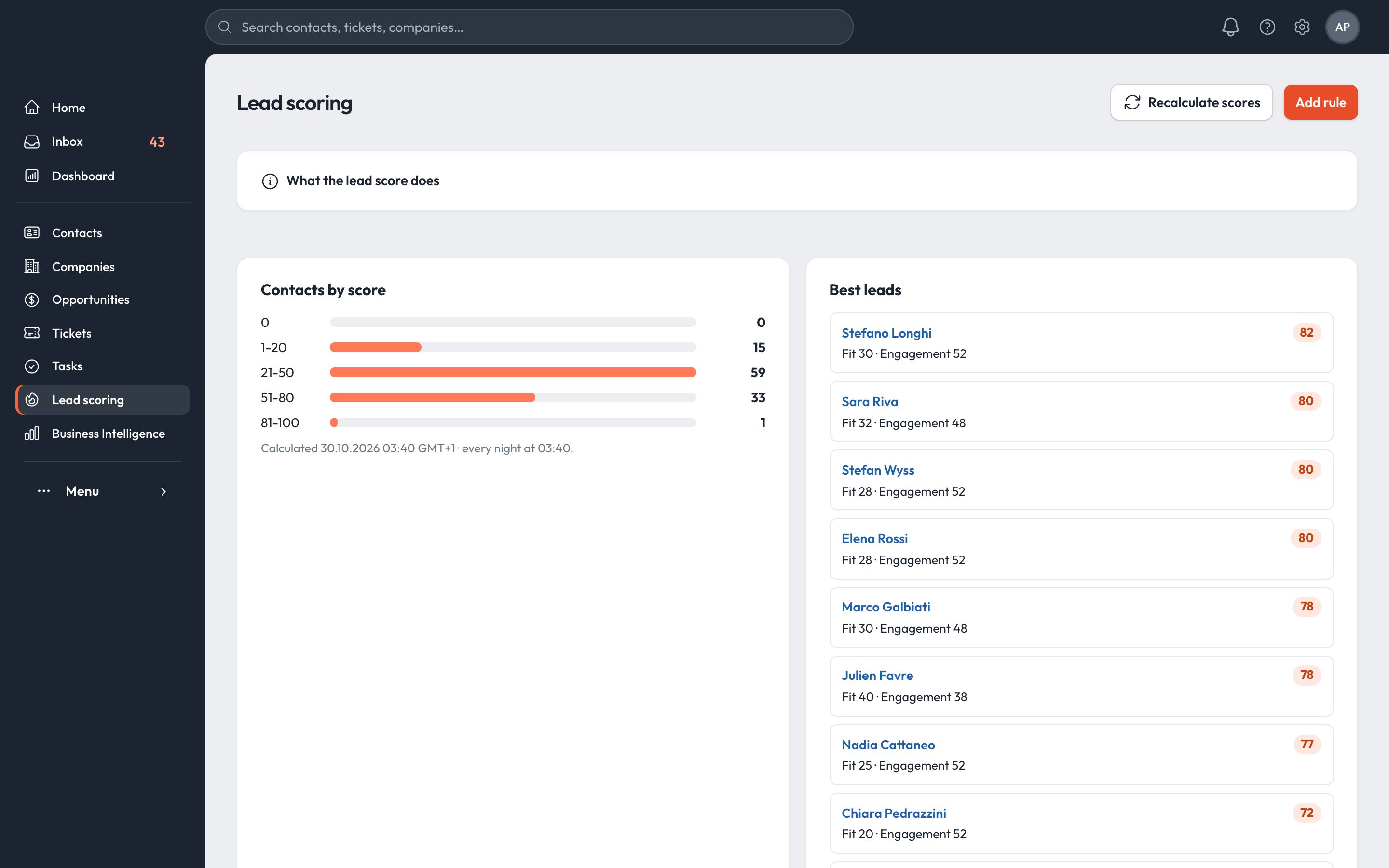
Forms on your website create contacts and open a conversation. Lead scoring ranks them every night, so sales calls the best ones first.

  • Form builder with 11 field types, live preview and redirects
  • Fit and engagement scoring, recalculated nightly
  • Segments with folders, usage tracking and recovery for 90 days
Lead scoring: contacts by score and the best leads
02 · ENGAGE

A shared inbox for every channel.

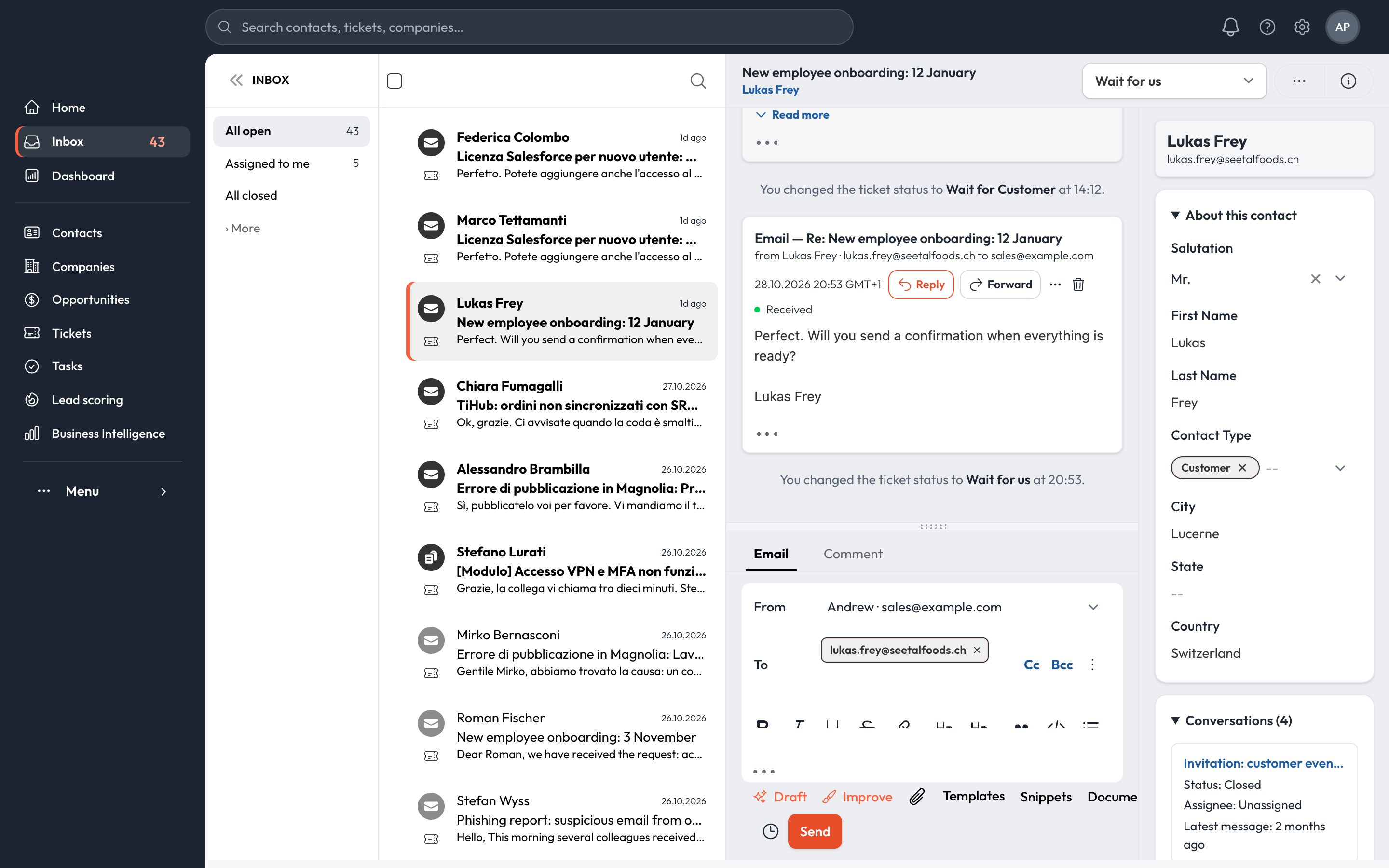
Email from your Microsoft 365 or Google Workspace mailbox, calls, SMS, Messenger and Instagram land in a shared inbox, next to the customer's full record.

  • Assignment, priorities, drafts and scheduled sends
  • Templates, snippets and email open and click tracking
  • Sequences that stop the moment the customer replies
Shared inbox with a conversation and the contact panel
03 · CLOSE

A pipeline that stays up to date.

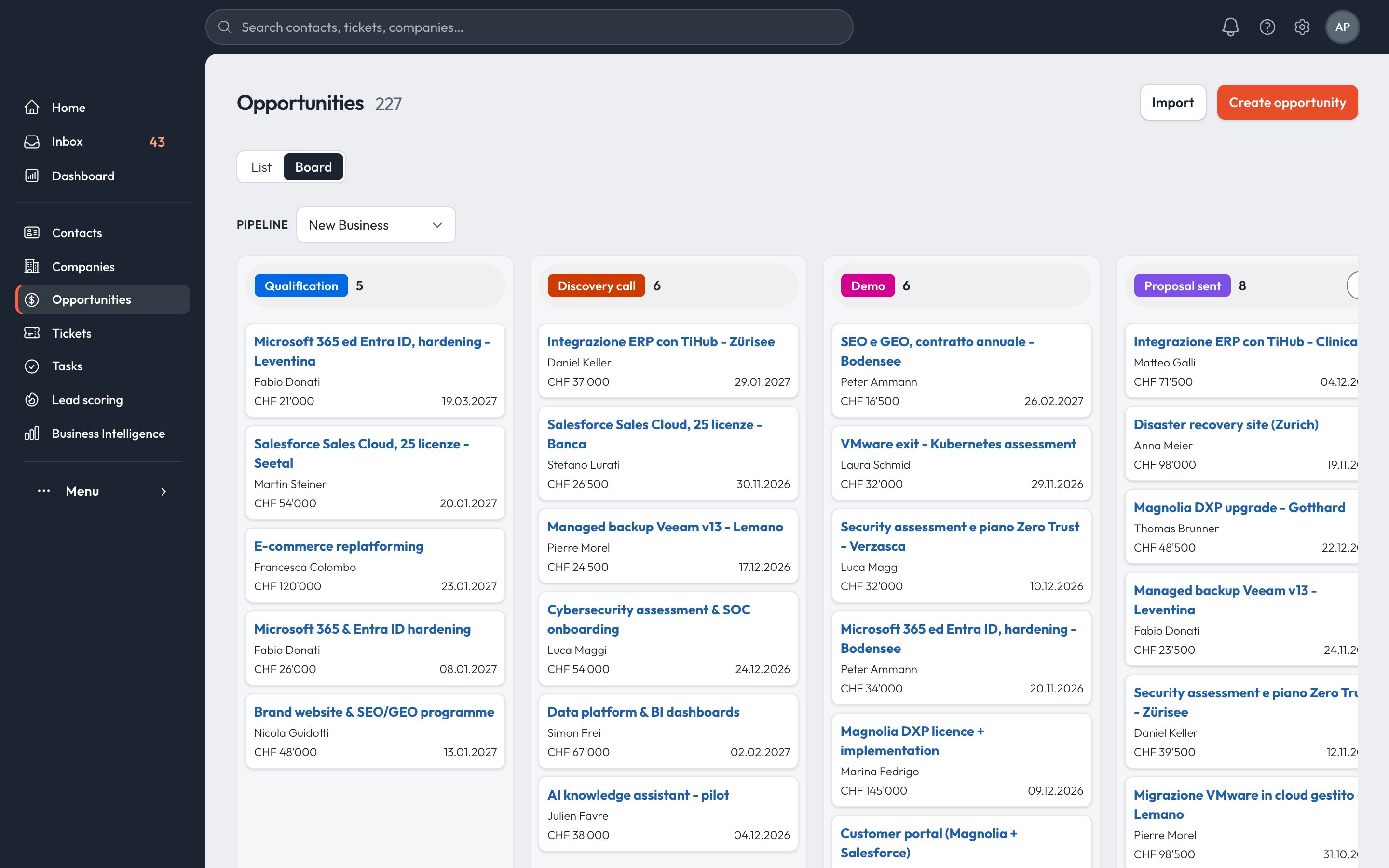
Drag opportunities across the board. Opportunities without a next step or past their date are flagged at the top of the list.

  • Multiple pipelines, stage path and weighted amounts
  • Playbooks for discovery and BANT qualification
  • Quotes, contracts and projects on the opportunity page
Opportunities board by stage
04 · BILL

Quotes, contracts and invoices.

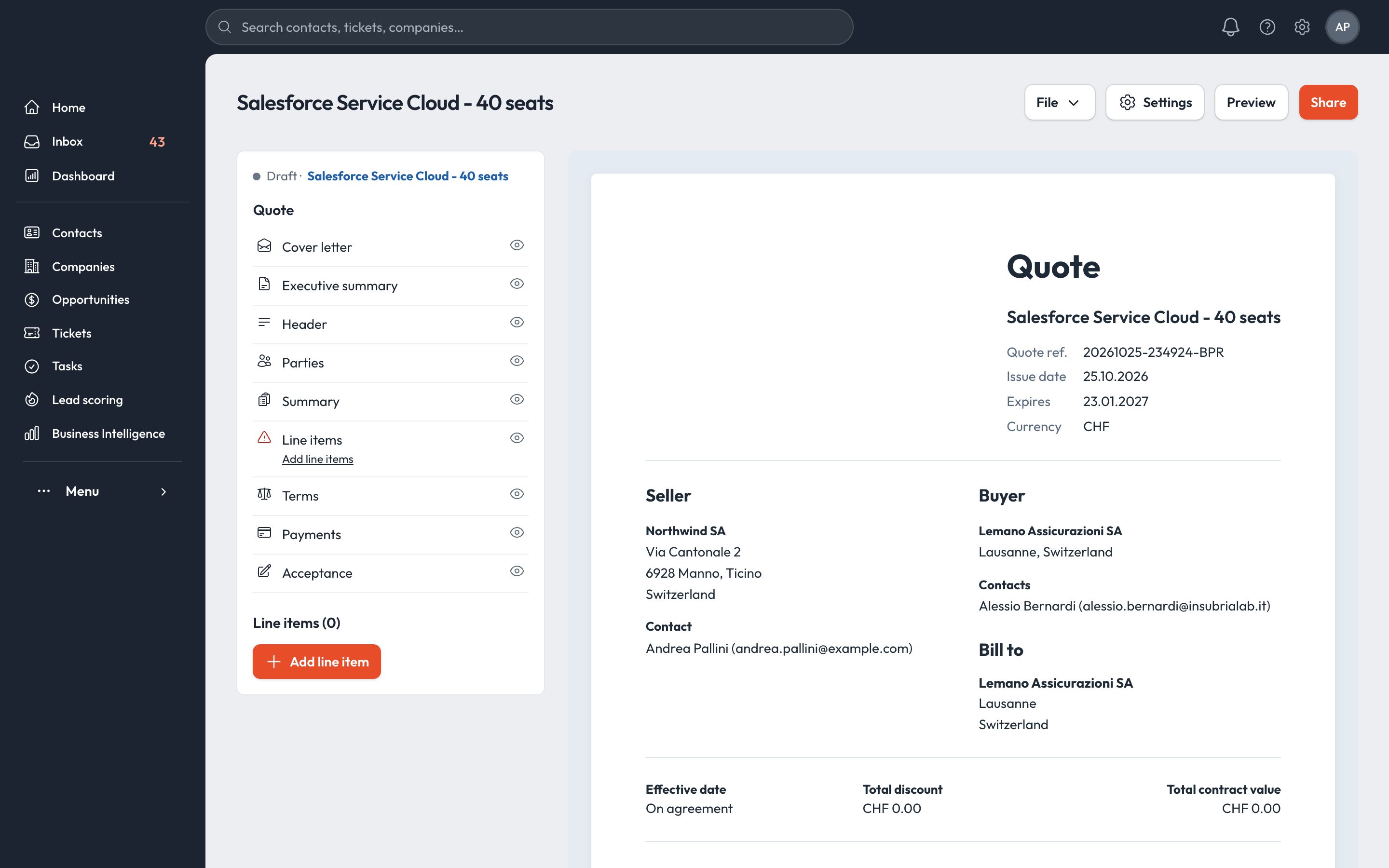
Build the quote from your product catalogue, share it, turn it into a contract and an order, and issue invoices or subscriptions without leaving the CRM.

  • Quote editor with sections, line items, terms and acceptance
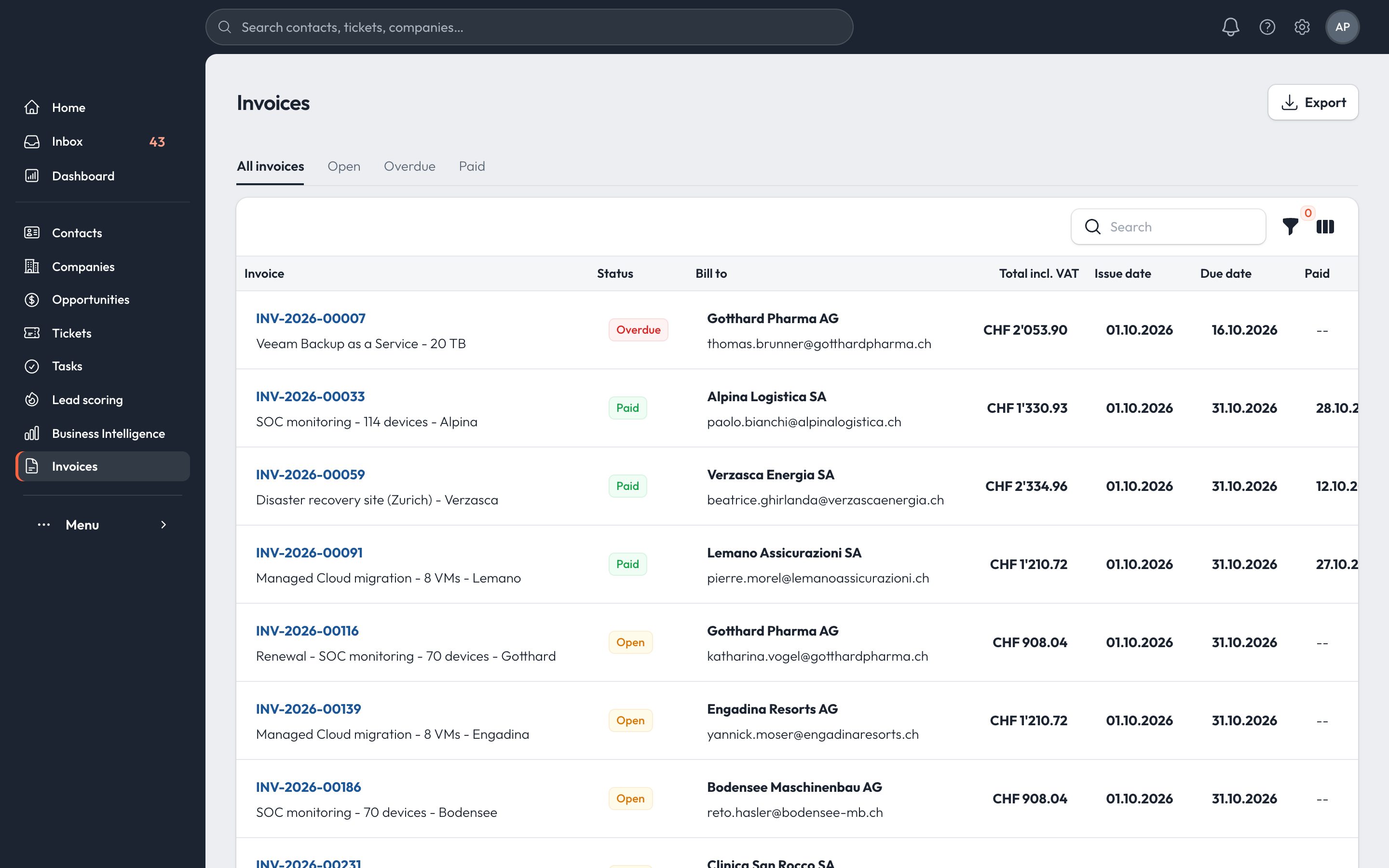
  • Invoices with overdue tracking and payment reminders
  • Subscriptions that issue an invoice every period
Quote editor with sections and preview
05 · RETAIN

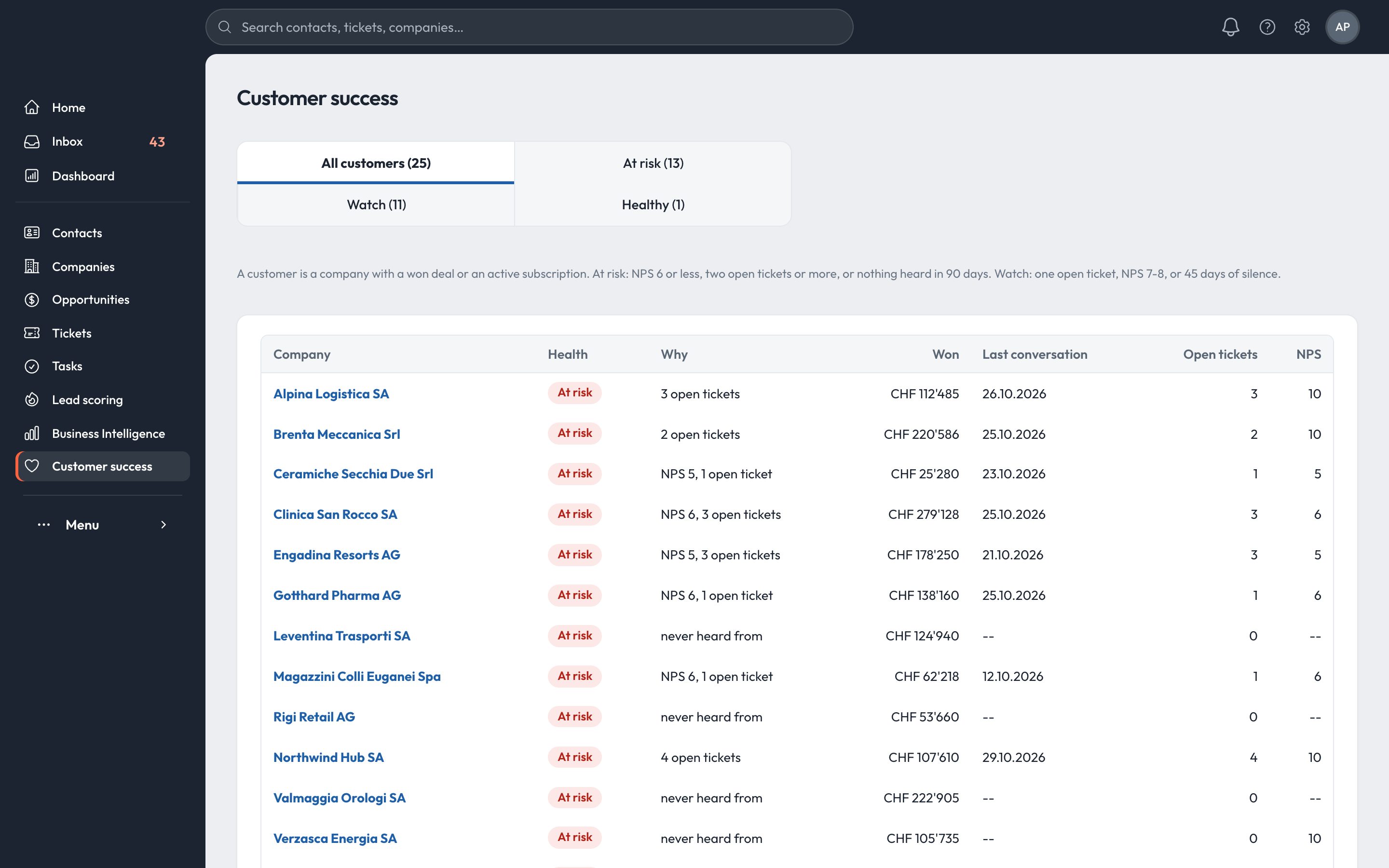
Customer health at a glance.

Every customer gets a health status from NPS, open tickets and silence. Account managers see which customers to call this week.

  • Help desk with views, ticket pipeline and SLA status
  • NPS, CSAT and custom surveys after tickets or go-lives
  • At risk, Watch and Healthy, with the reason on each row
Customer success: customers by health
06 · STEER

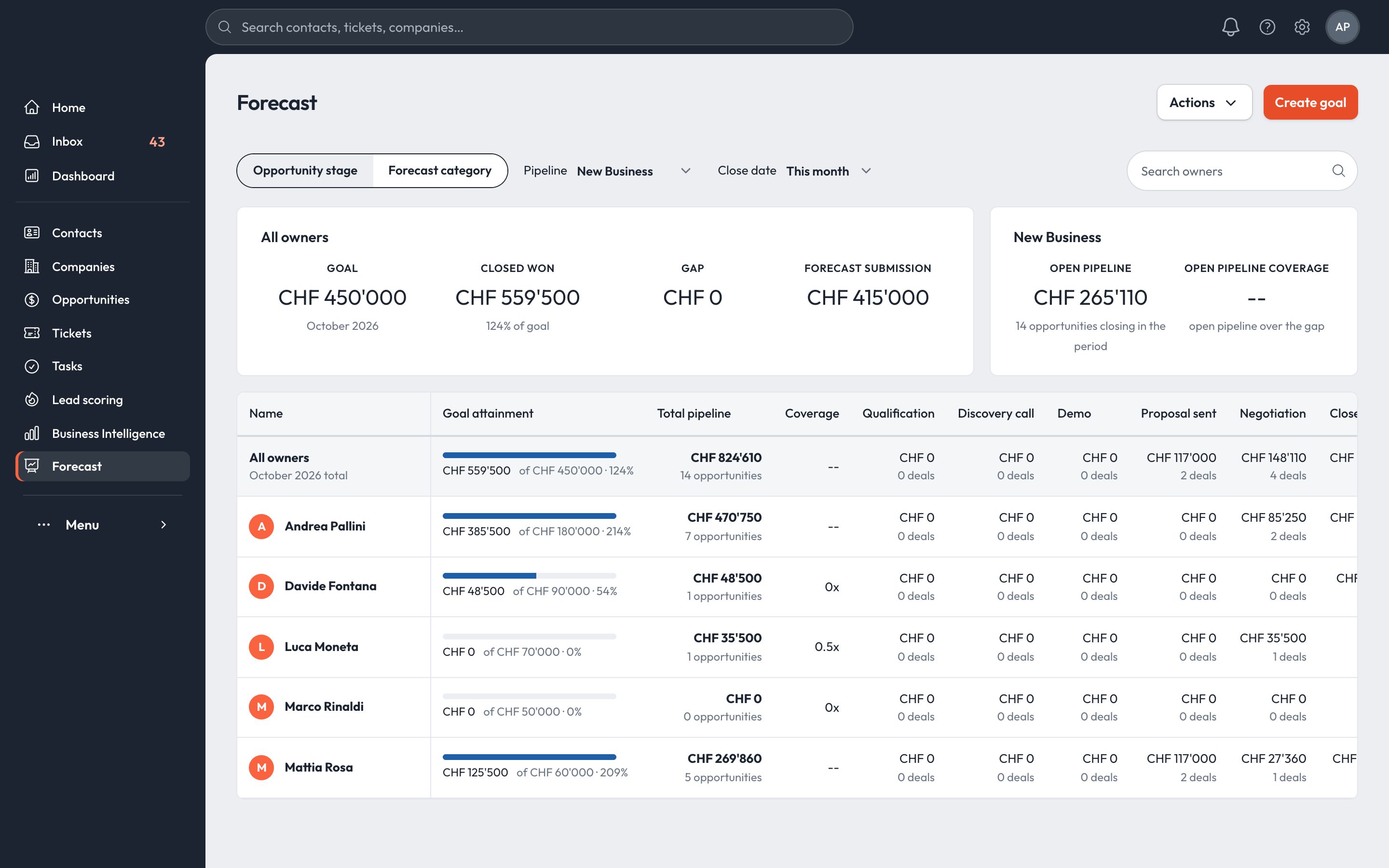
Forecast and goals.

Forecast by stage or category against each seller's goal, with the gap and the pipeline coverage you need to close it.

  • Forecast, goals per user or team, six metrics
  • Dashboards built from ready-made reports, shared with the team
  • Export any report to CSV
Forecast against goal by owner
AI CRM

AI on every customer conversation.

The AI works on the data already in the CRM: the conversation, the contact, the company and its opportunities.

Daily briefA short plan for each seller: who is waiting, what is overdue, where to start.
Reply draftsA draft answer written from the whole conversation and the customer's record.
ImproveRewrites the seller's own text, shorter and clearer, in the customer's language.
Drafts in bulkOne click prepares a draft for every customer waiting for a reply.

Drafts are never sent automatically. A person reviews every message and presses Send.

Inbox conversation with the Draft and Improve buttons in the reply editor
Quote to cash

From quote to invoice.

When an opportunity is won, the same record carries the quote, the contract, the invoices and the renewal date. Subscriptions and recurring revenue are billed from the CRM.

Quote

From the catalogue, with discounts, terms and an acceptance page.

Contract

Generated from the accepted quote, with billing and shipping addresses.

Order

Created from the quote or by hand, with the PO number.

Invoice

VAT included, due dates, reminders and payments recorded.

Renewal

Subscriptions bill each period and show up in MRR and ARR.

Invoices list with overdue, paid and reminder actions
Invoices · overdue tab, reminders, mark paid
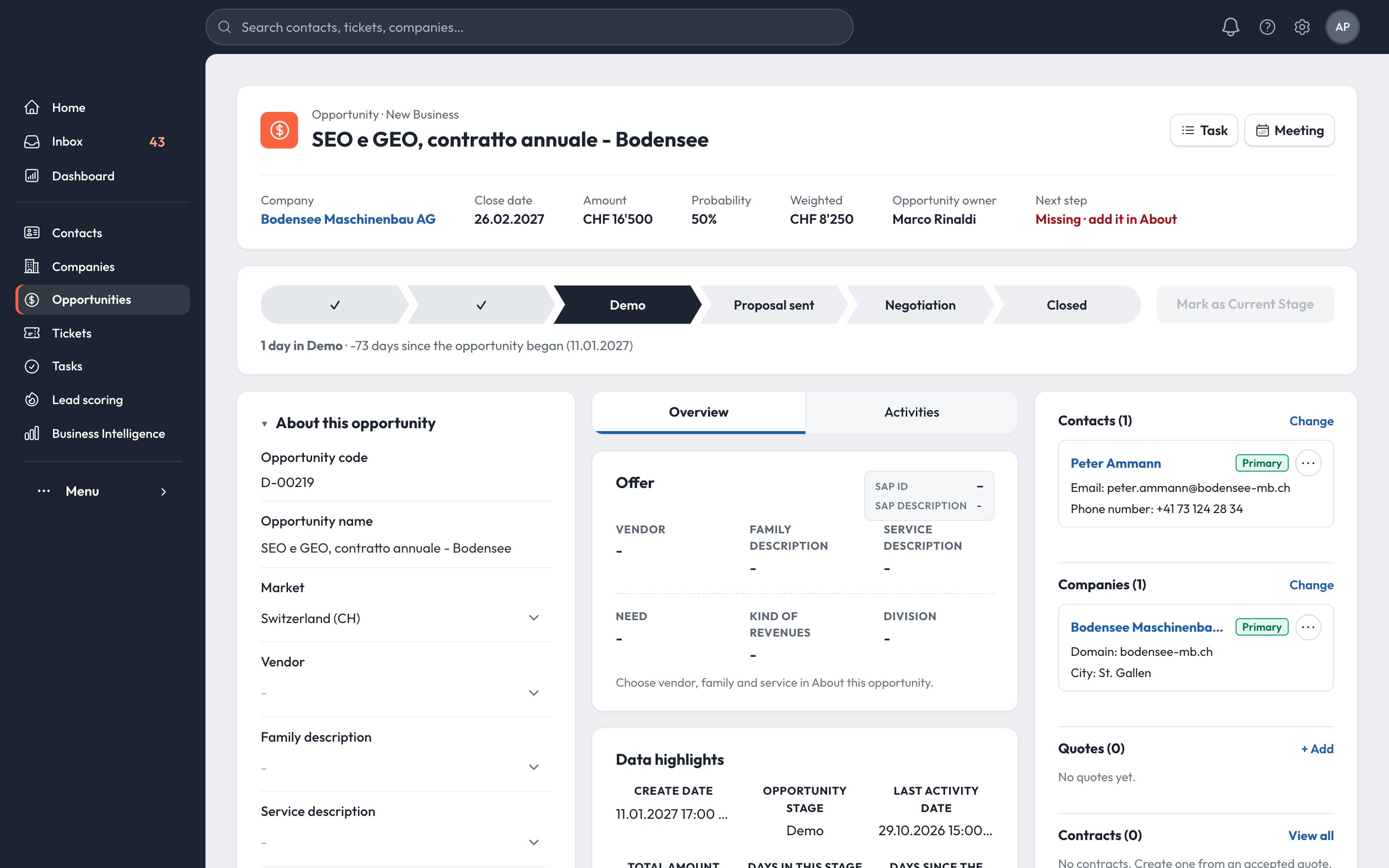
Opportunity record with stage path and associated records
Opportunity · stage path, next step, everything attached
Quote to contract

The accepted quote becomes the contract.

One action turns an accepted quote into a contract. Buyer, opportunity, line items and prices are copied over, so the team never retypes an order.

Quote · acceptedContract · active
  • Buyer company and contactsfrom the quote
  • Linked opportunityfrom the quote
  • Line items, quantities and discountscopied
  • Currency and VATcopied
  • Billing and shipping address, PO numberper company
  • Start date and one-year termeditable
  • Automatic renewal for 12 monthsoptional

The contract keeps its own copy of the quote: a later change to the quote does not alter what was signed.

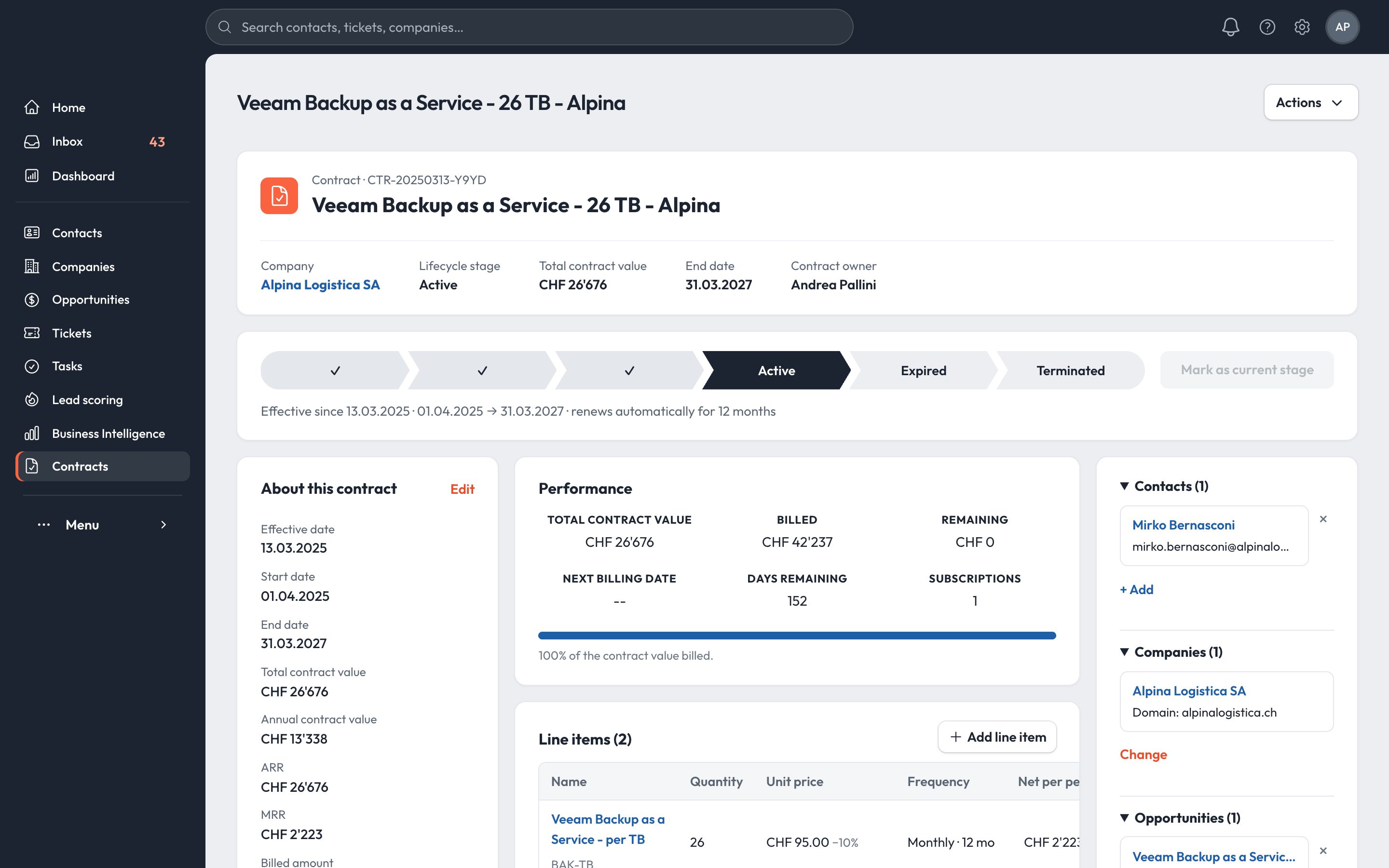
Quote editor with sections, parties and line items Contract record with lifecycle stage, contract value and billing performance

The quote

Built from the product catalogue with cover letter, executive summary, terms, payments and an acceptance section. Shared as a link: the CRM shows how many times it was opened and whether it is still pending acceptance.

The contract

A lifecycle path from draft to active, expired or terminated. Total contract value, annual value, ARR and MRR are calculated from the line items, VAT excluded.

Contract performance

Billed, remaining, next billing date and days remaining, with the full billing schedule. The renewals of the next 90 days appear in the revenue overview.

Subscriptions

Recurring revenue, invoiced on time.

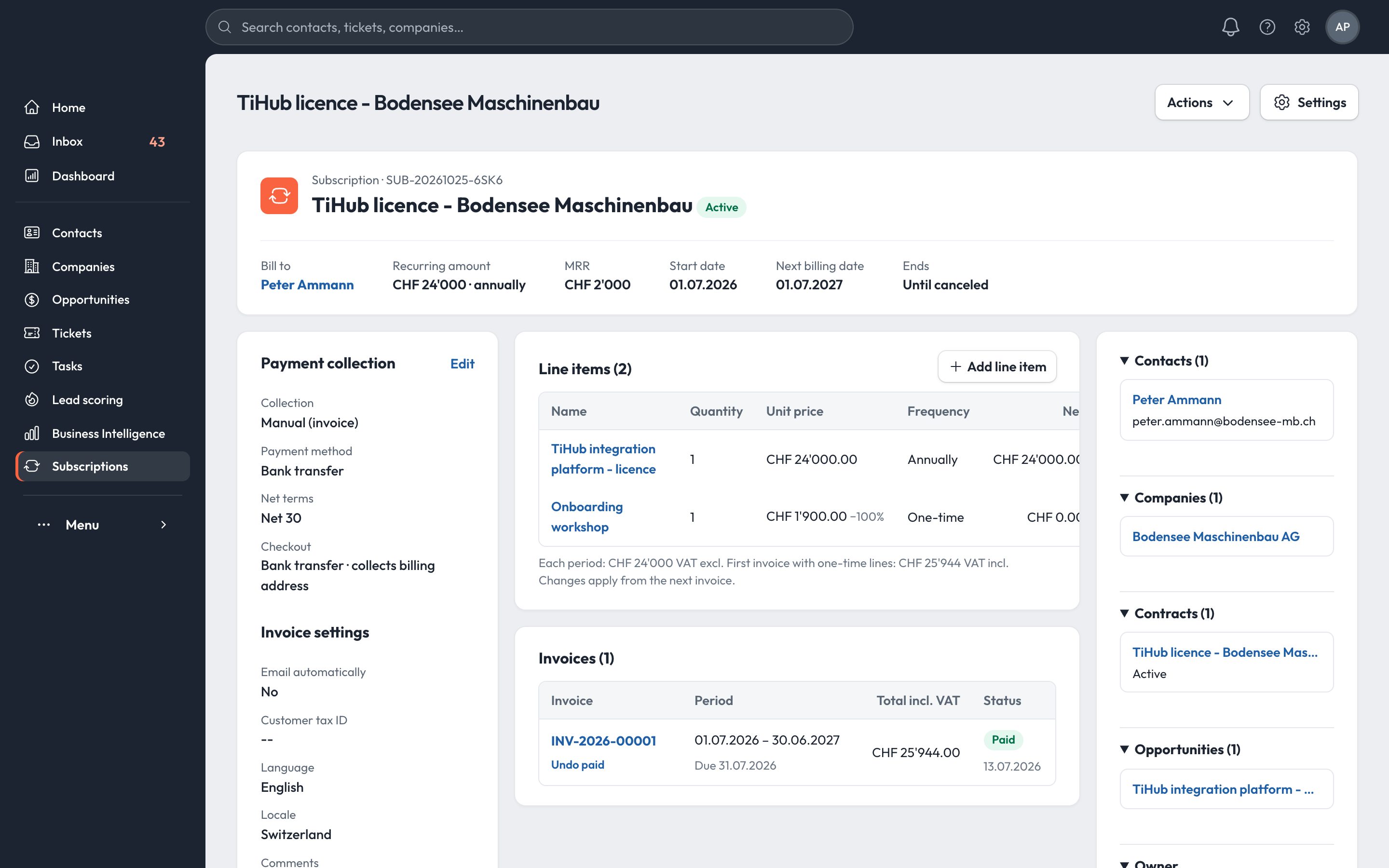
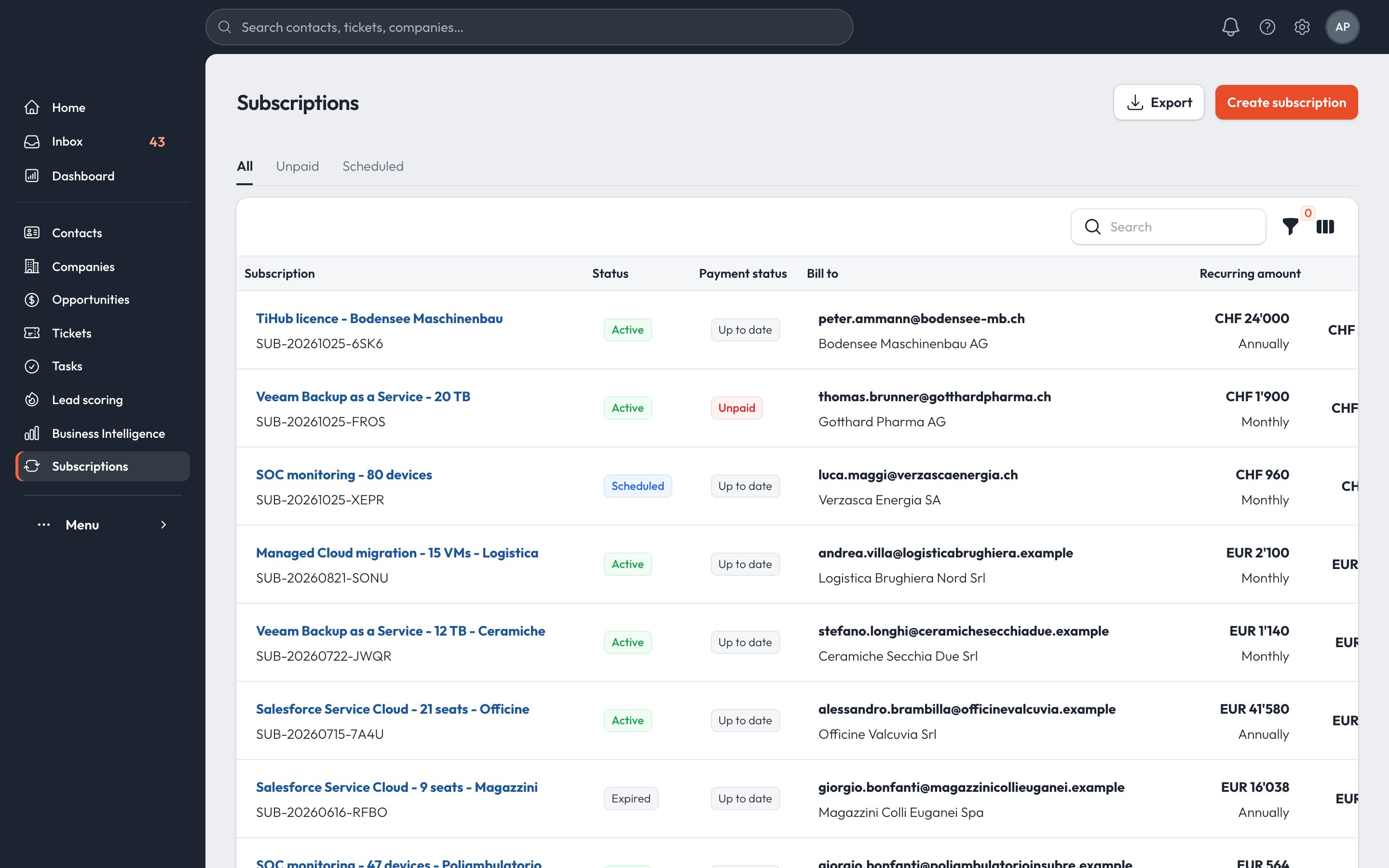
Each subscription issues its invoice at every period, keeps MRR and ARR up to date and shows at once which customers have not paid.

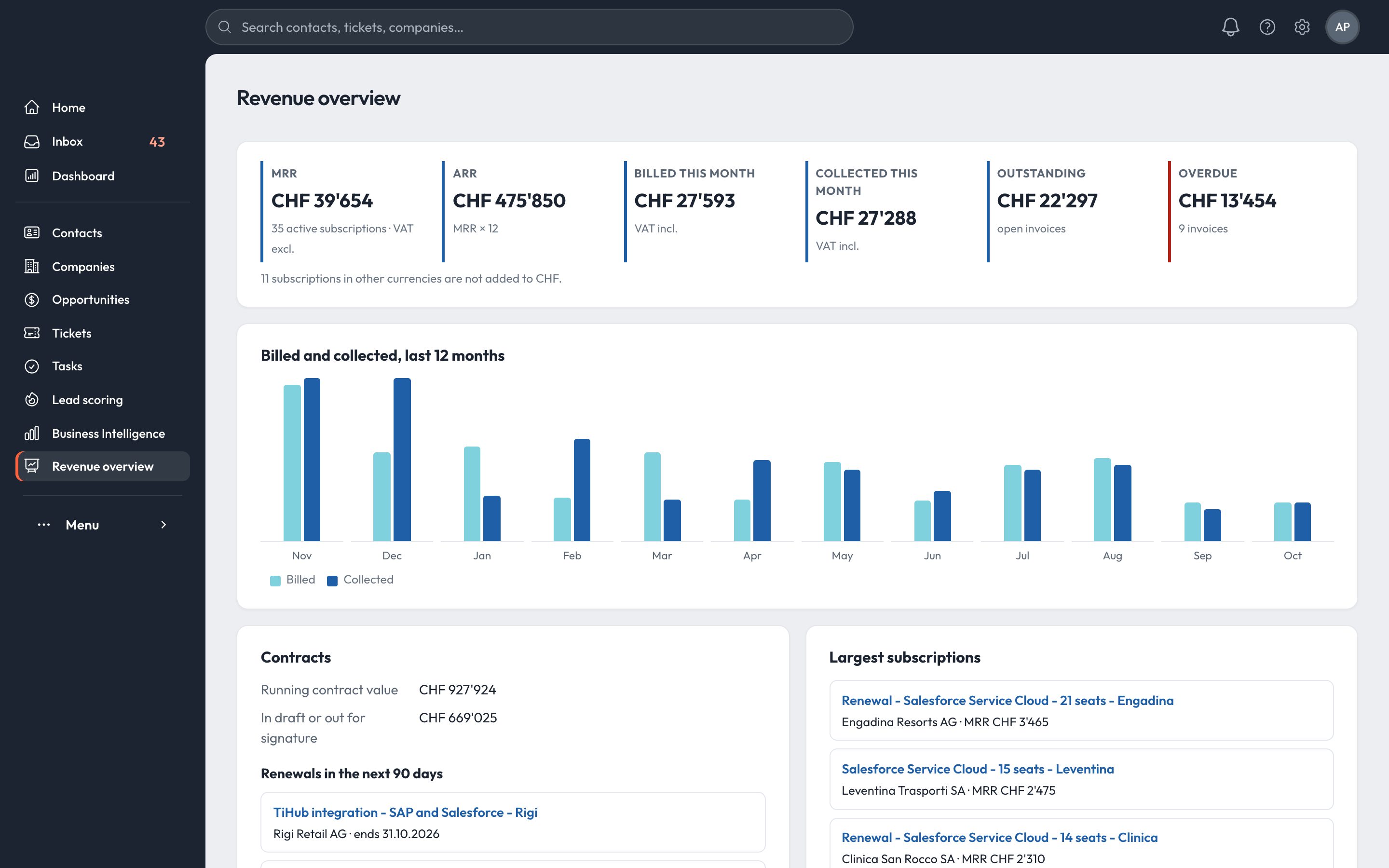
MRRCHF 39'65435 active subscriptions, VAT excl.
ARRCHF 475'850MRR × 12
Collected this monthCHF 27'288VAT incl.
OverdueCHF 13'4549 invoices

Figures from the demo company shown in the screenshots.

Backup as a Service, 9 TB · monthly01.09.2025 → 31.08.2026 · billing schedule
SEP
OCT
NOV
DEC
JAN
FEB
MAR
APR
MAY
JUN
JUL
AUG
CHF 855.00 + VAT 8.1% = CHF 924.26 per invoiceBilled 12 of 12 · onboarding workshop on the first invoice, 100% discount
Any billing frequencyWeekly, monthly, quarterly, semi-annual or annual.
Open-ended or fixedUntil cancelled, or after a set number of payments.
One-time linesSetup or onboarding fees on the first invoice, with discounts.
VAT per lineTotals per period, VAT excluded and included.
Invoice by emailSent automatically to the bill-to contact when issued, if you want.
Payment termsBank transfer, net terms and the comment printed on every invoice.
Customer languageInvoice language and number format chosen per customer.
Unpaid and scheduledDedicated views, and changes apply from the next invoice.
Subscription record: recurring amount, MRR, line items and invoices Subscriptions list with status, payment status, MRR and next billing date
Business intelligence

Reports on sales, billing and service.

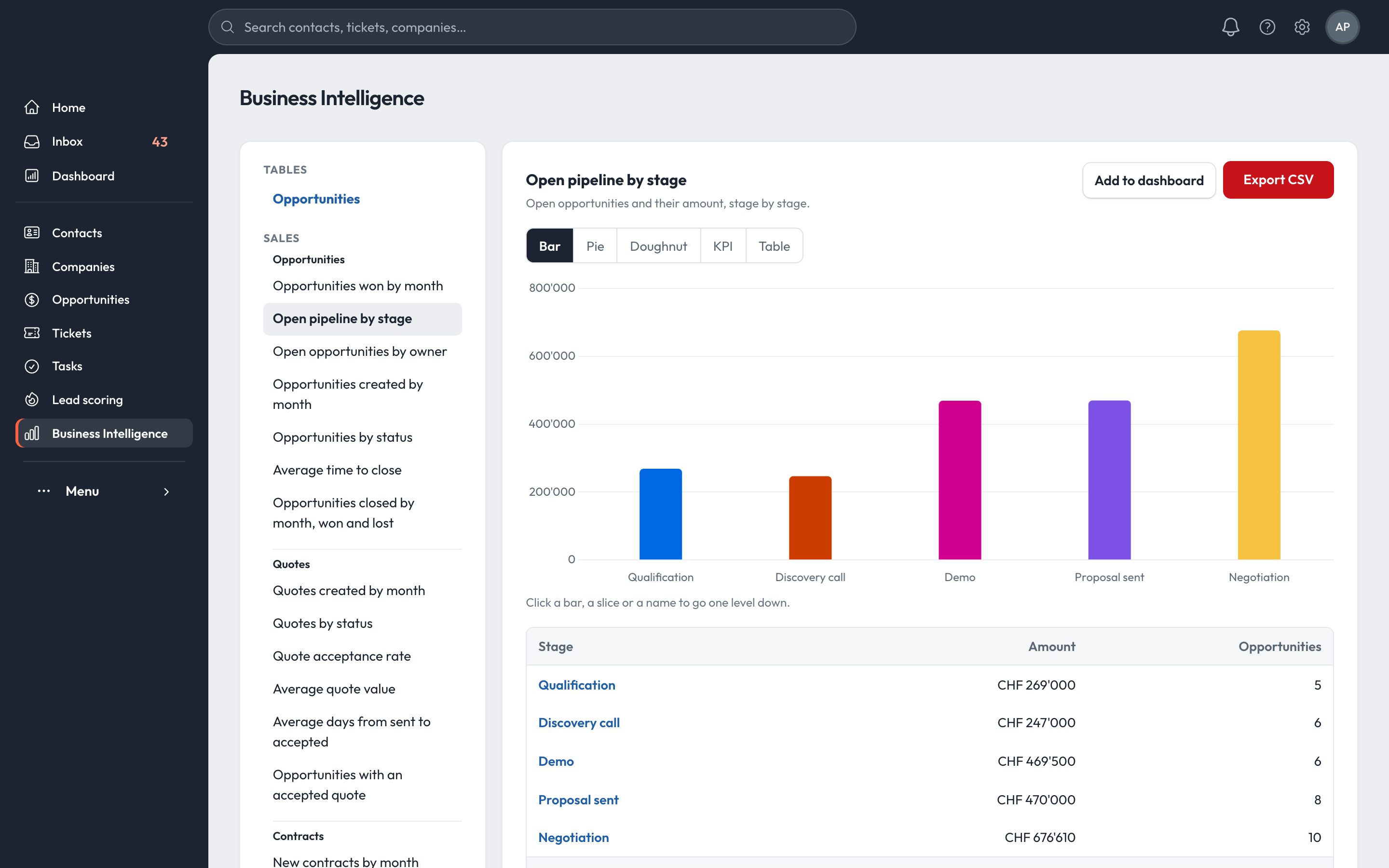
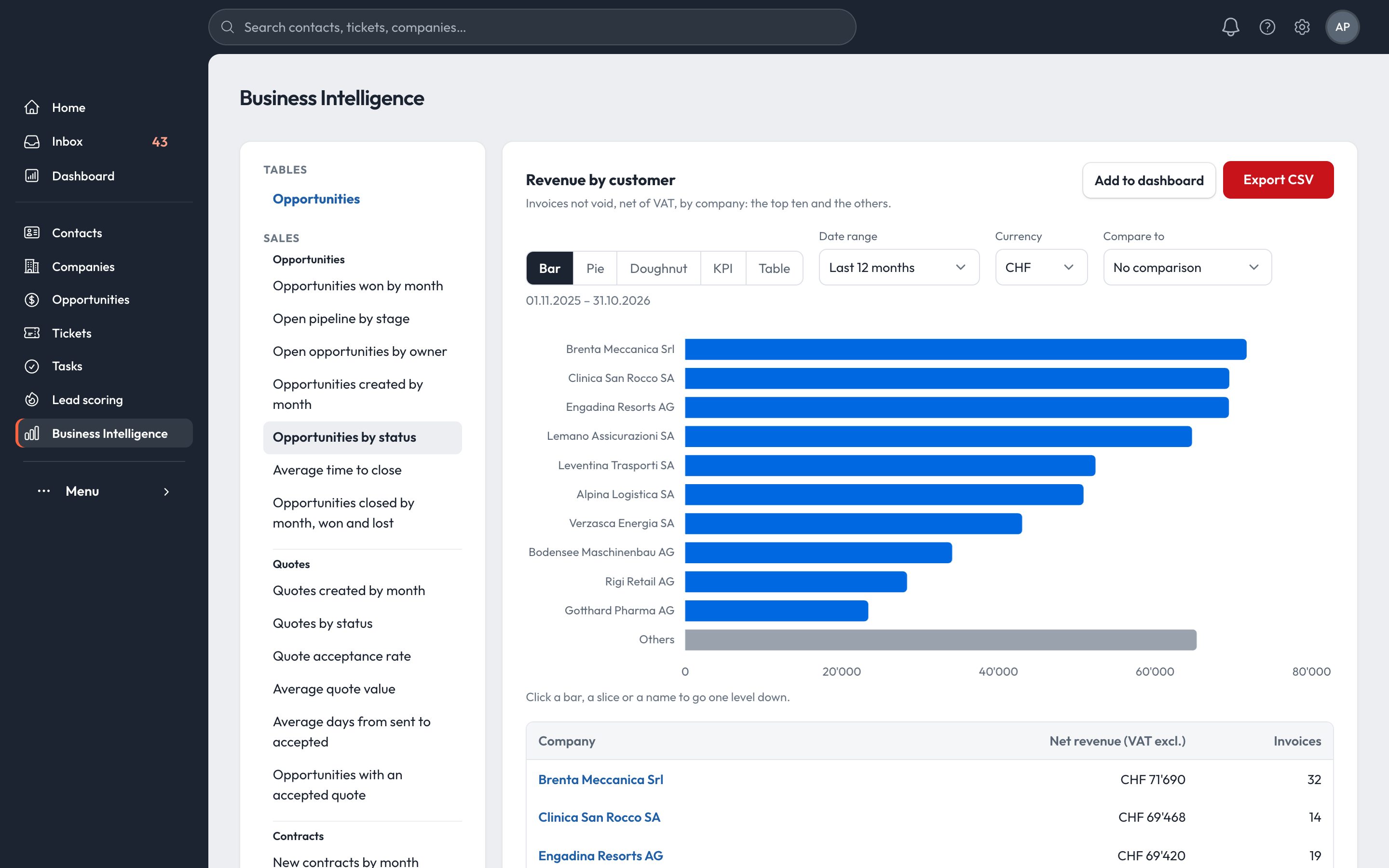
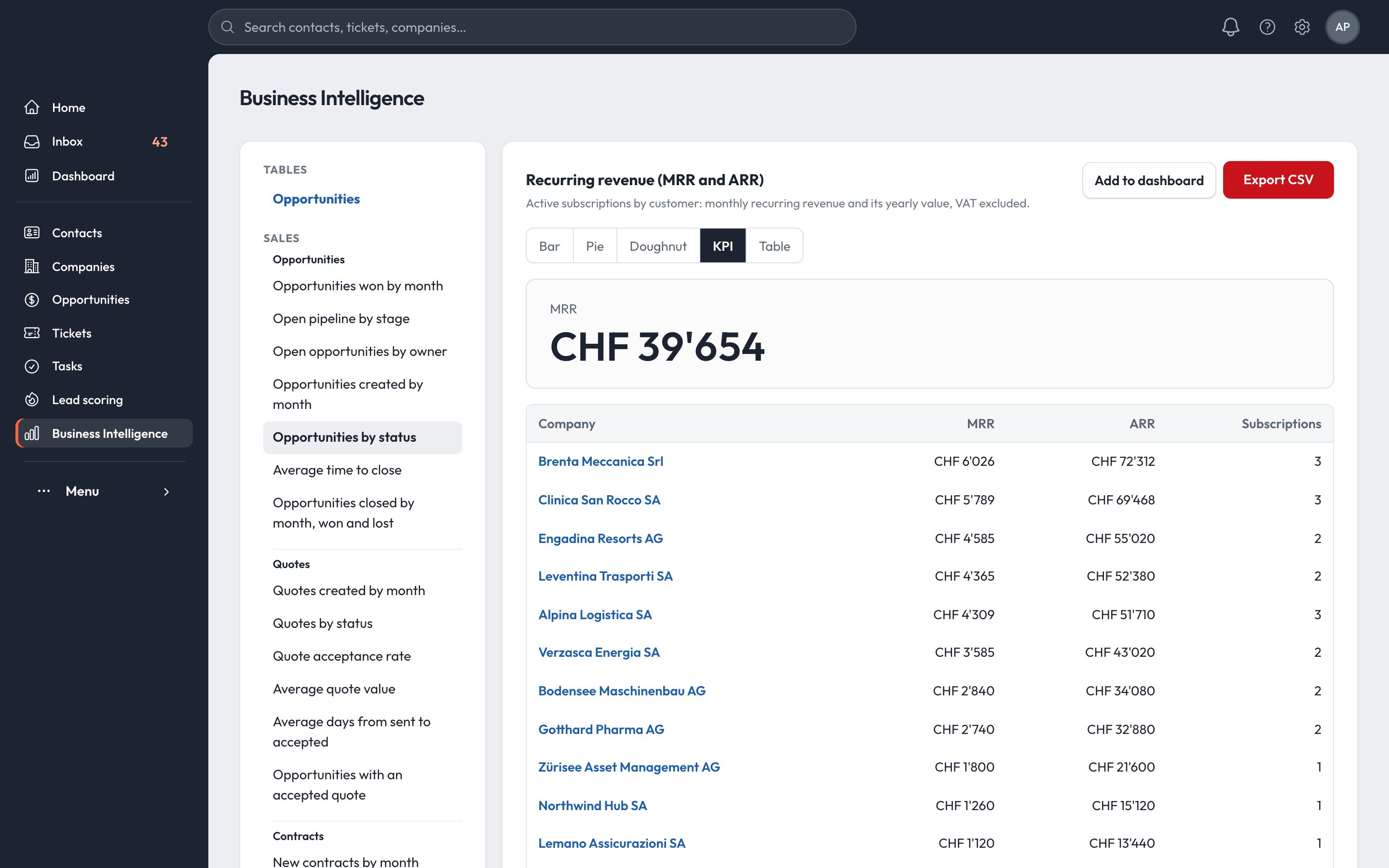
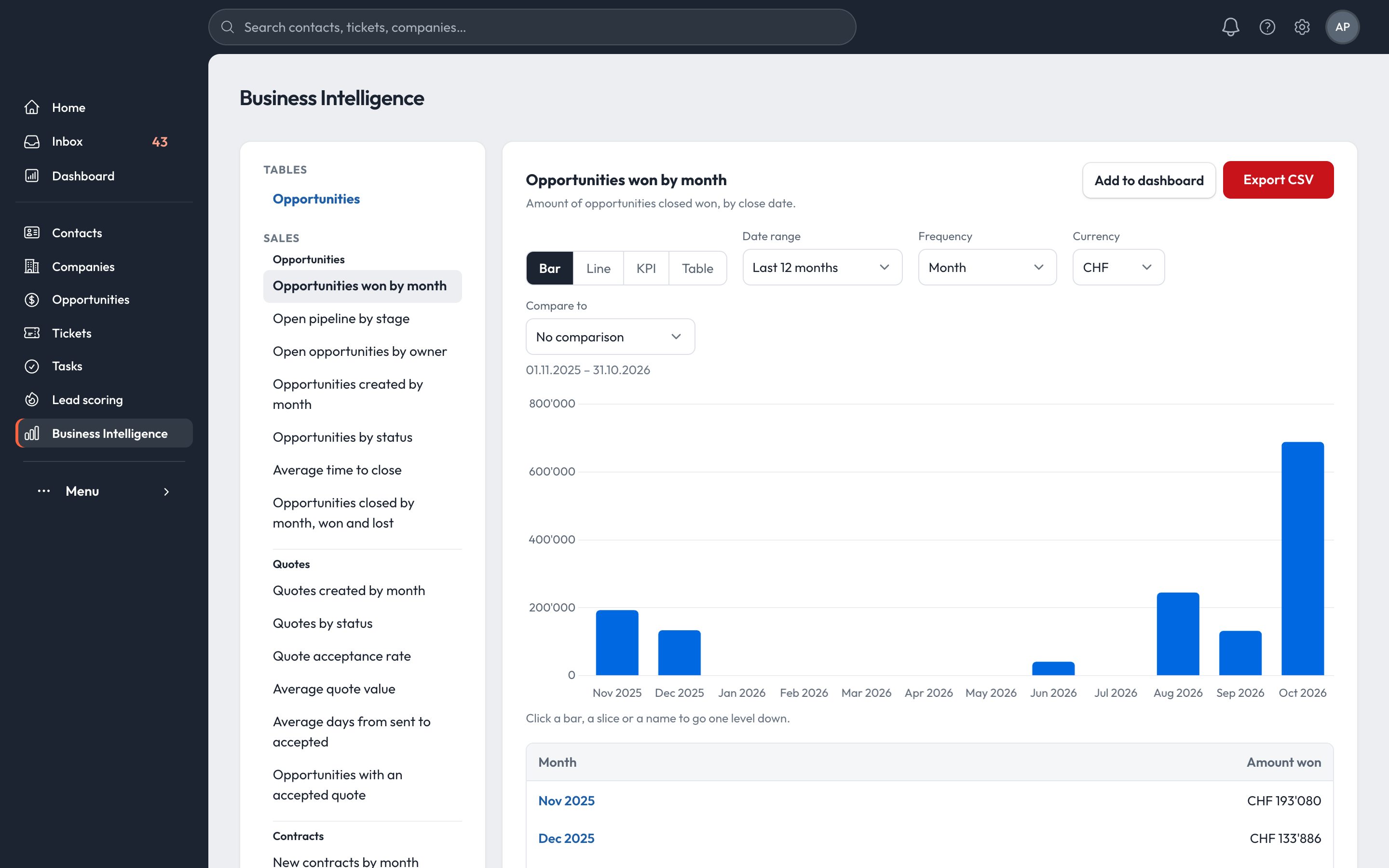
45 ready-made reports on the live data of the CRM. Click a bar, a slice or a name to open the records behind it.

Report: open pipeline by stage Report: revenue by customer Report: recurring revenue, MRR and ARR by customer Report: opportunities won by month
7Opportunities
6Quotes
6Contracts
6Revenue
10Service
4Activities
3Marketing
3Contacts & tables
Bar, line, pie, doughnut, KPI and tableQuarters, year to date, last 12 months, custom rangeCompare with the previous period or the same period last yearCHF and EURAdd any report to a dashboardExport to CSVReceivables and ageing
Dashboards and goals

Dashboards, forecast and goals for sales managers.

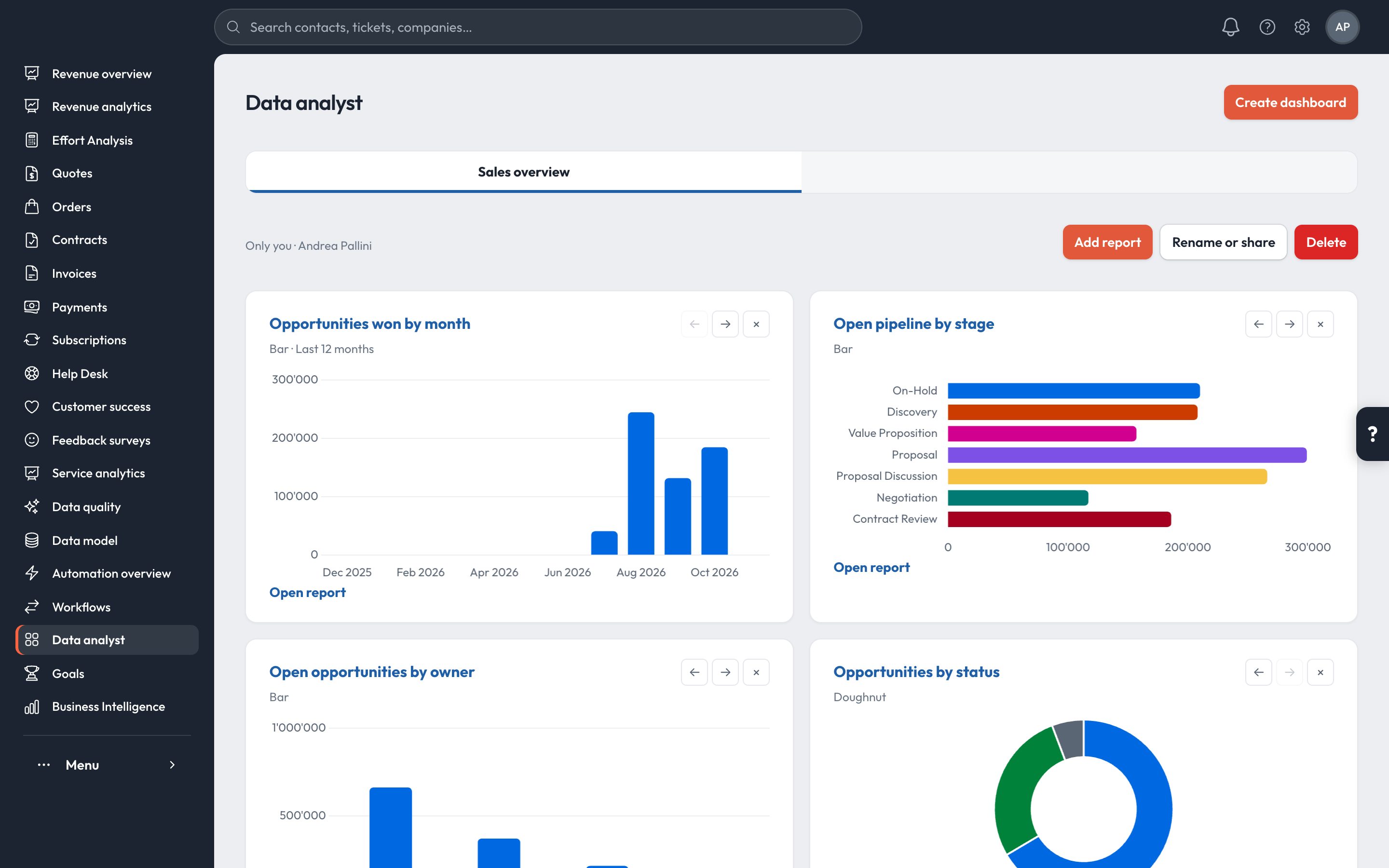
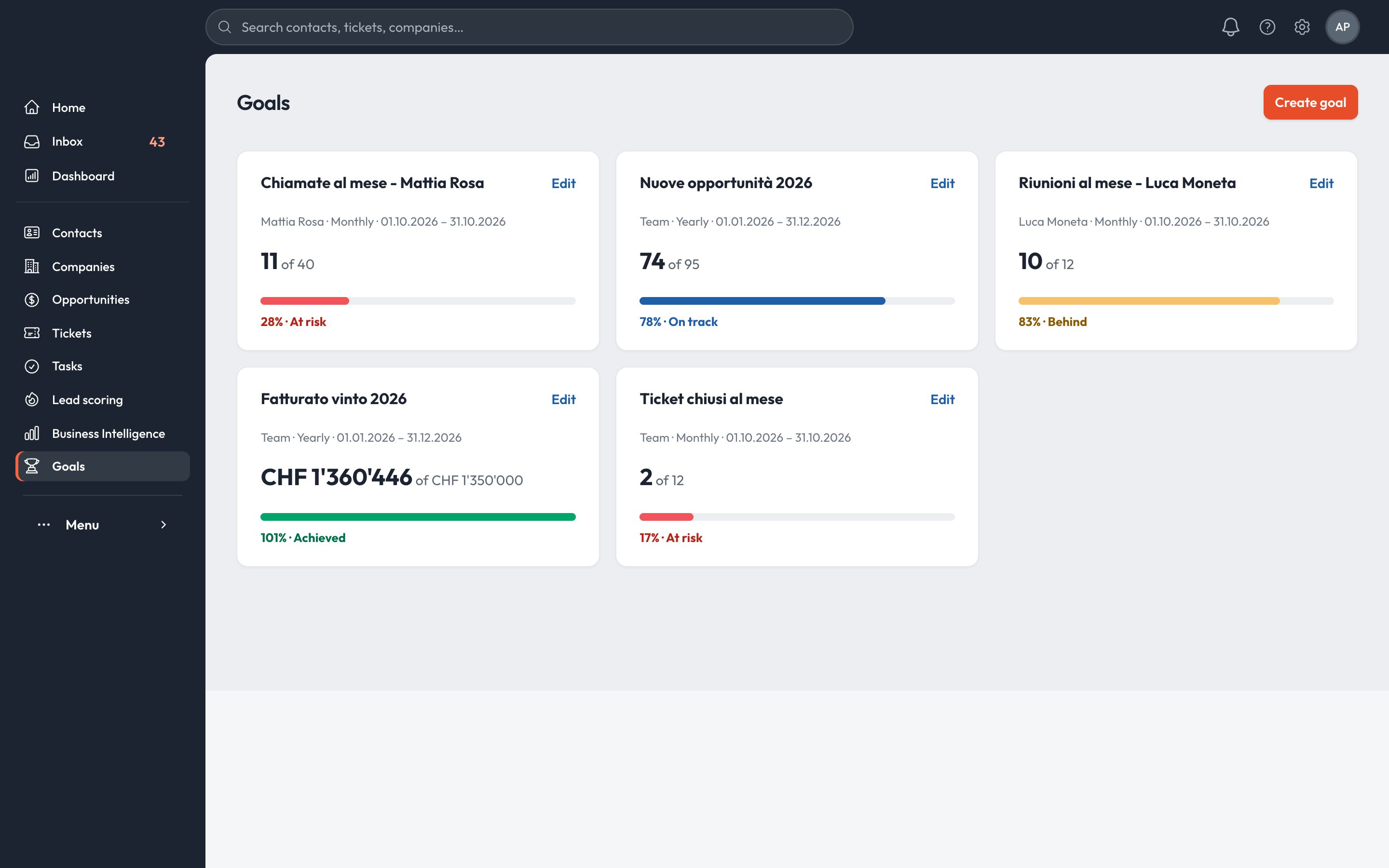
Personal and team dashboards built from the reports, goals per seller or team, and the forecast against each goal.

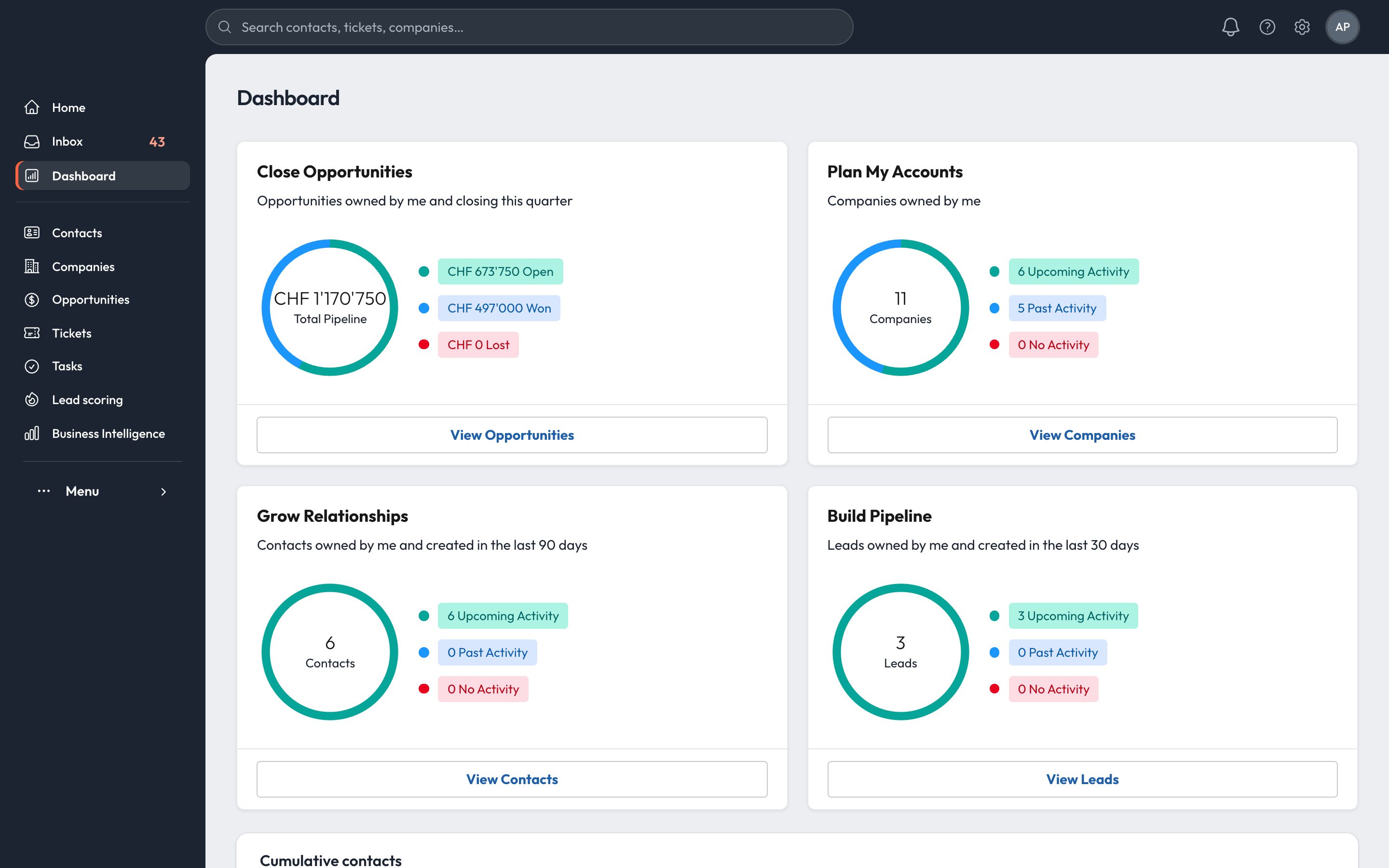
Dashboard: pipeline, accounts, relationships and leads Revenue overview: MRR, ARR, billed and collected Goals per user and team
Included

The tools a sales team uses every day.

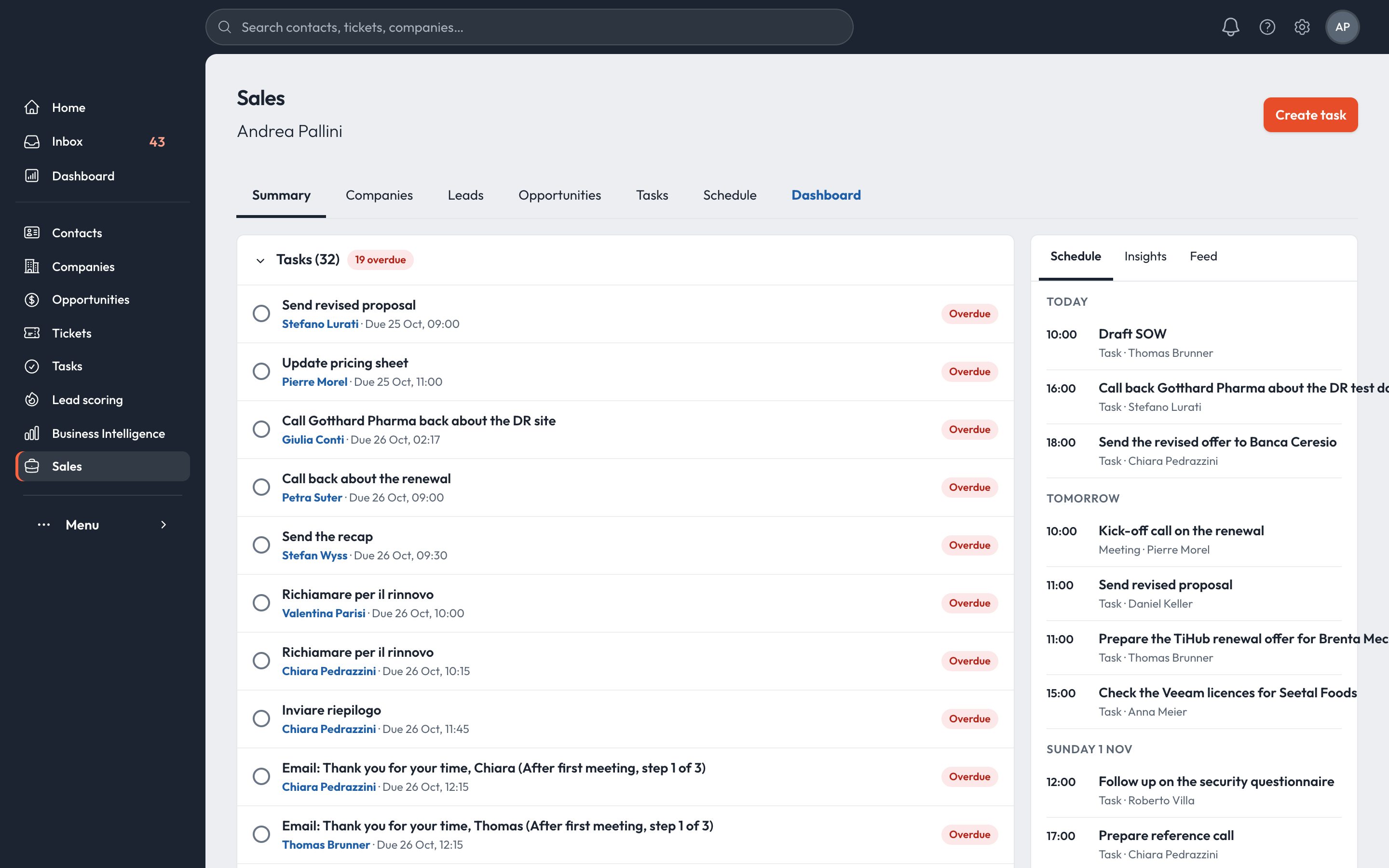
Sales workspace

Each seller's day on one screen: overdue tasks, leads, opportunities and schedule.

Sales workspace

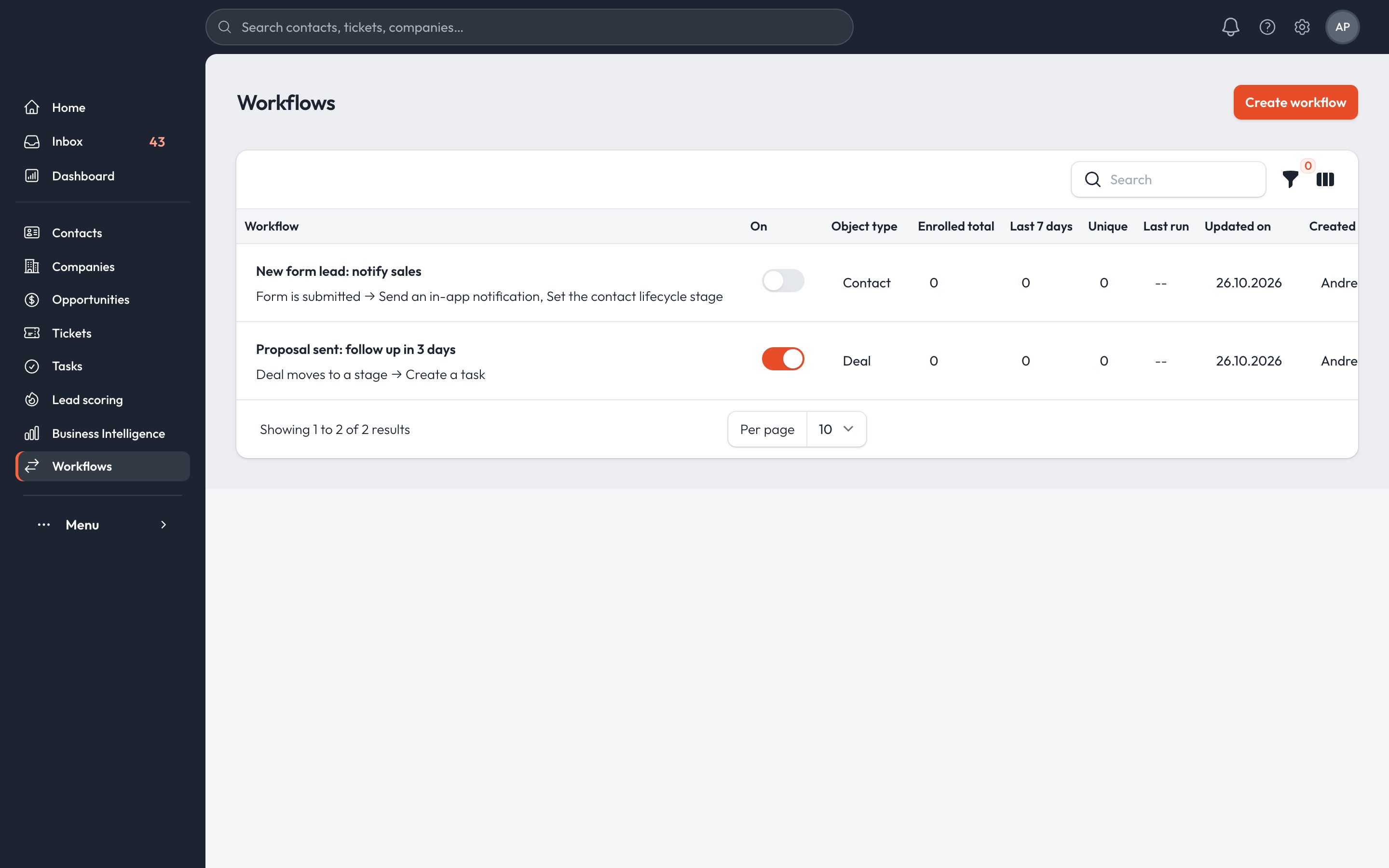
Workflows

Triggers on forms, stages and properties. Create tasks, notify, change owner, enroll in a sequence, call a signed webhook.

Workflows list

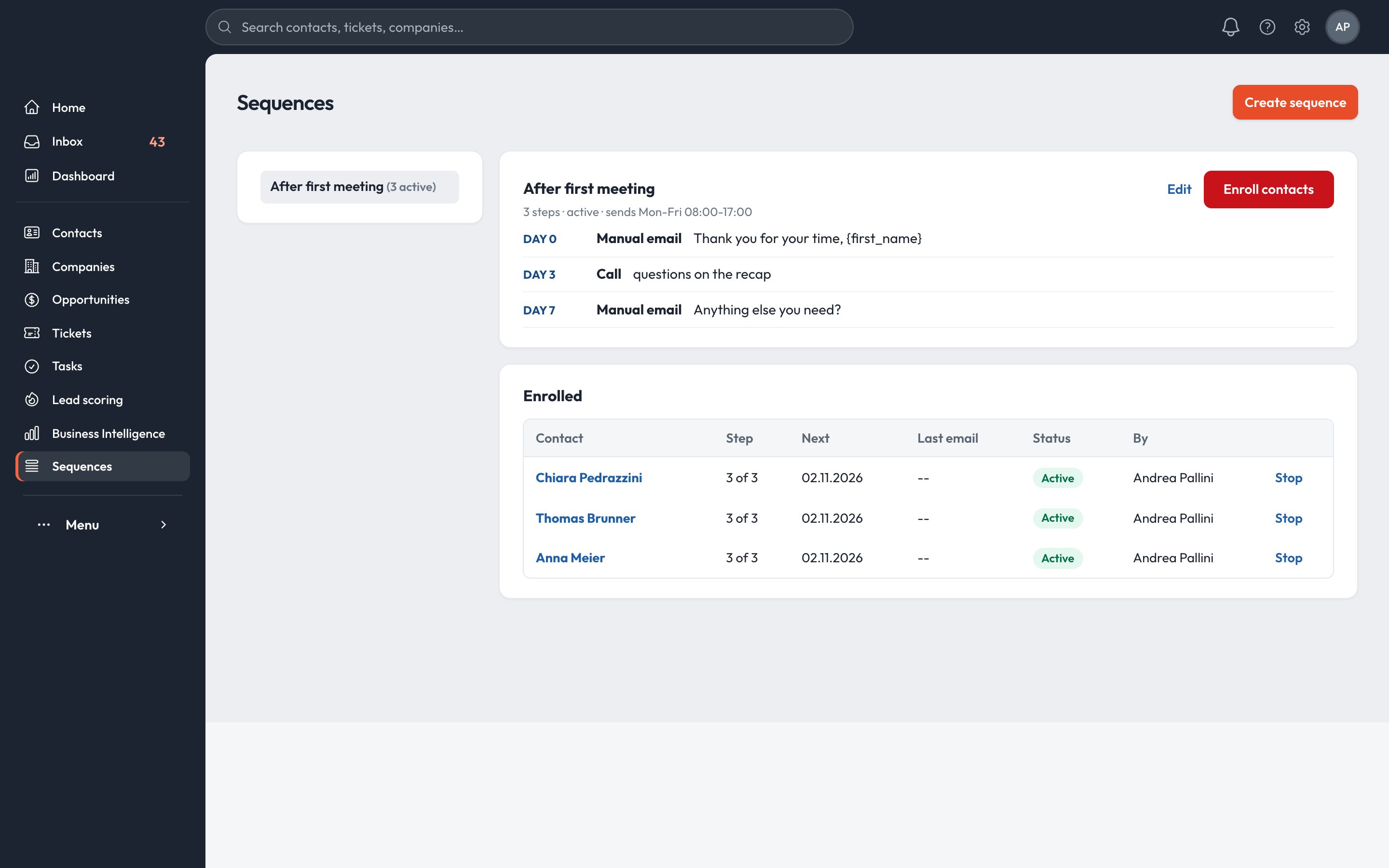
Sequences

Emails, calls and to-dos on a schedule, sent within office hours.

Sequence steps and enrolled contacts

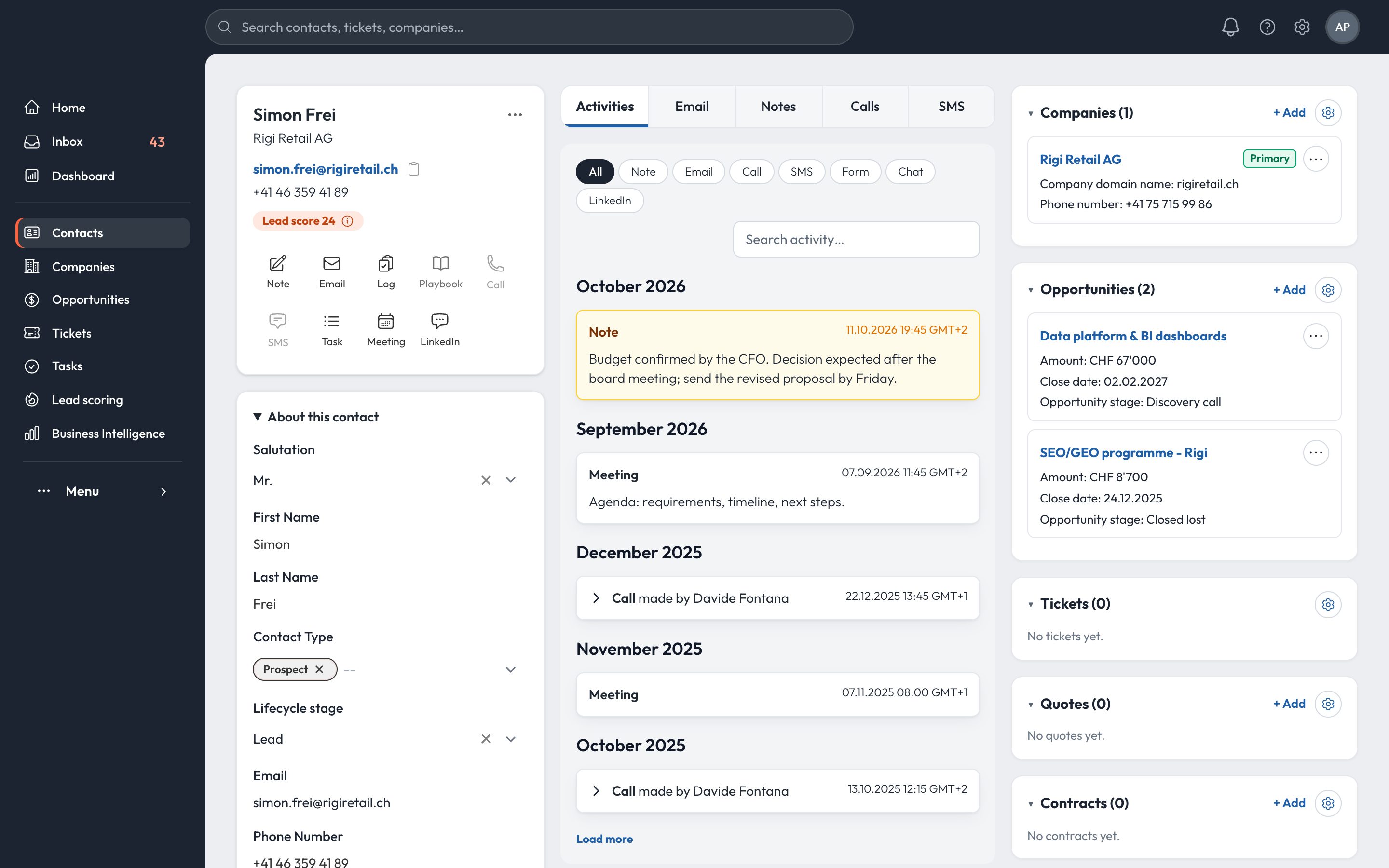
Contact record

Every email, call, note and meeting on one timeline.

Contact record with activity timeline

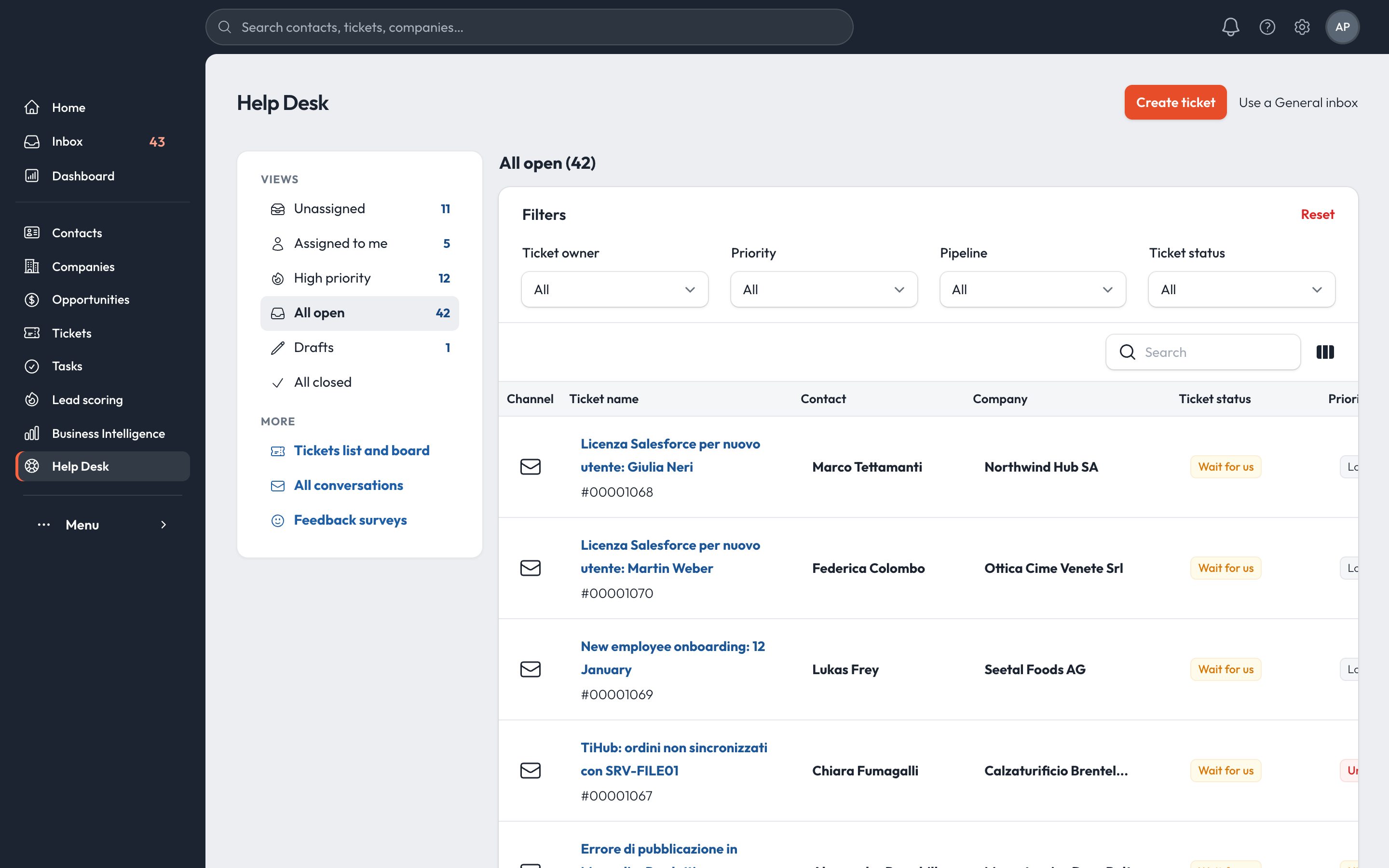
Help desk

Views for unassigned, mine and high priority. Board or list.

Help desk views

Business intelligence

Ready-made reports for sales, quotes, contracts and service, with CSV export.

Reports catalogue

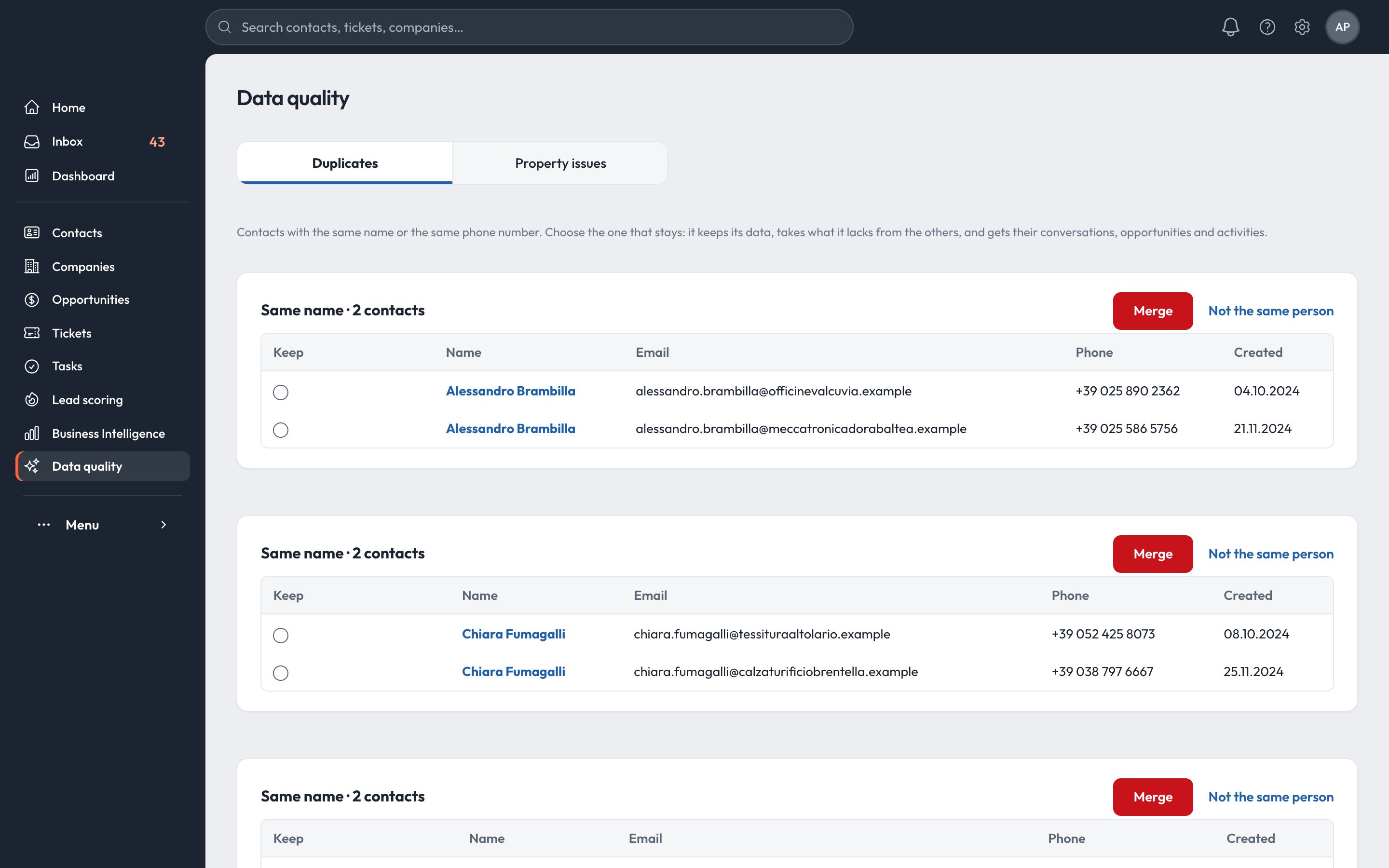
Data quality

Finds duplicates by name or phone and merges them, conversations and deals included.

Duplicate contacts with merge

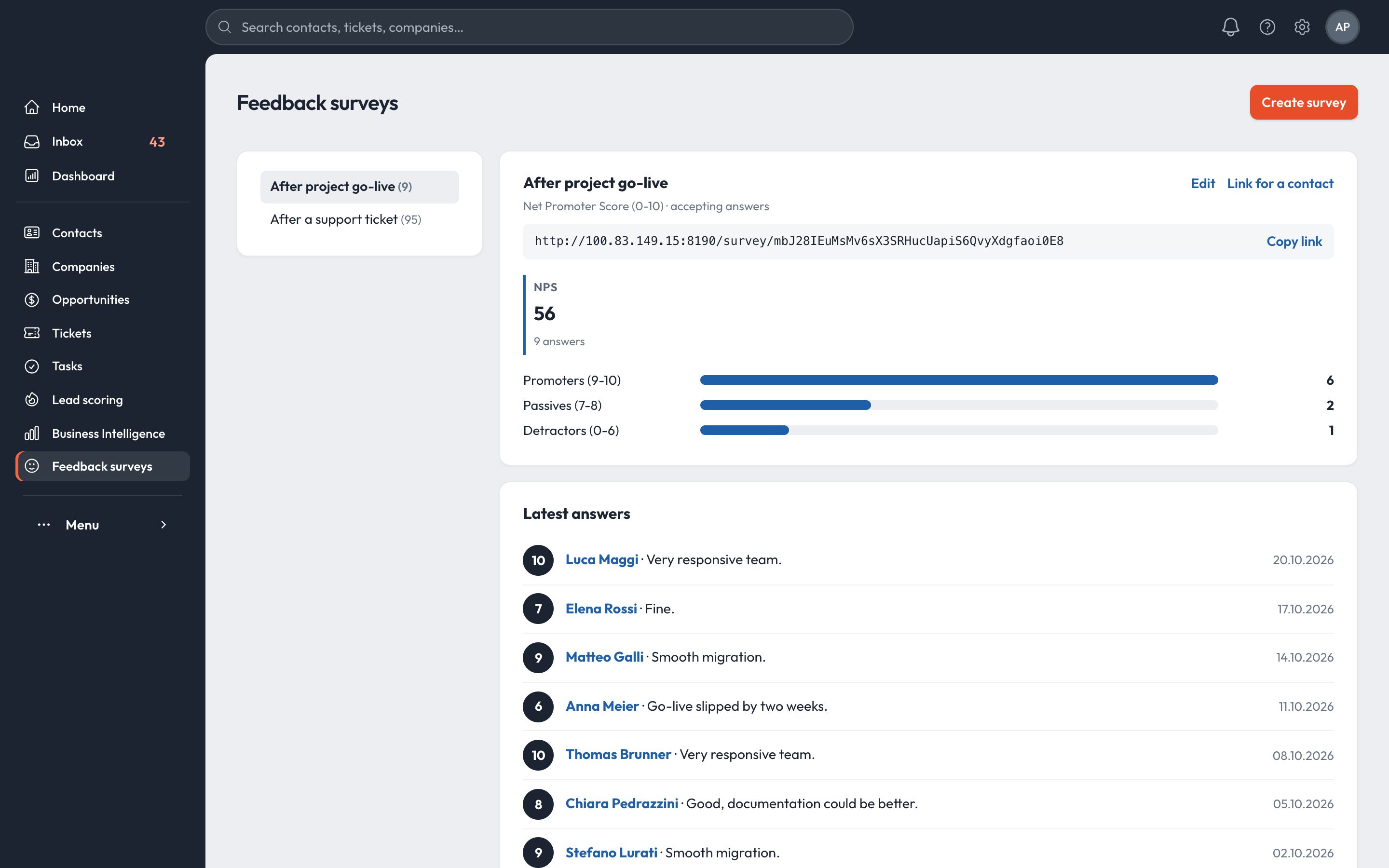
Feedback surveys

NPS after a ticket or a go-live, with the score on the customer.

NPS survey results

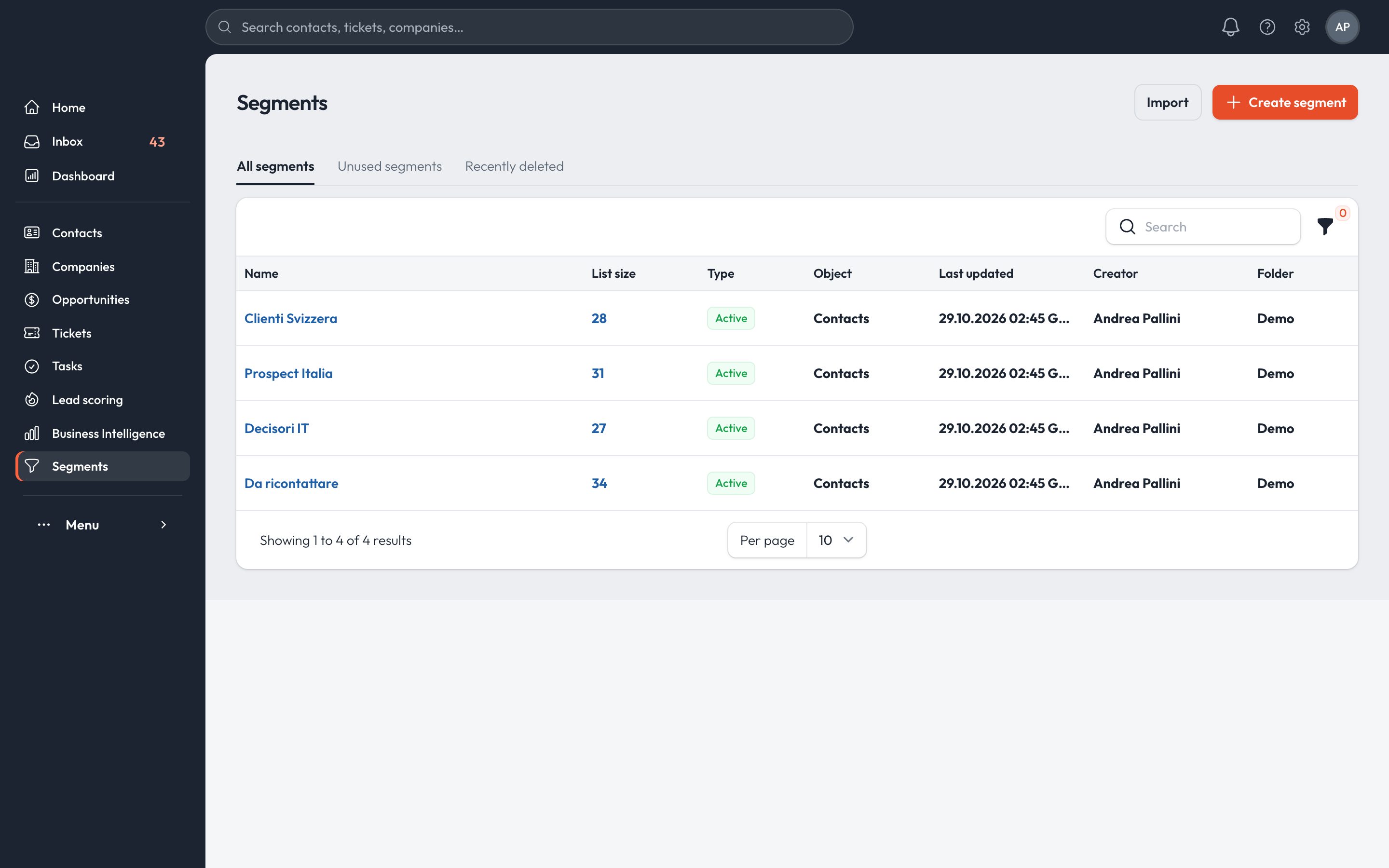
Segments

Advanced filters on any object, saved as lists for sequences and campaigns.

Segments list

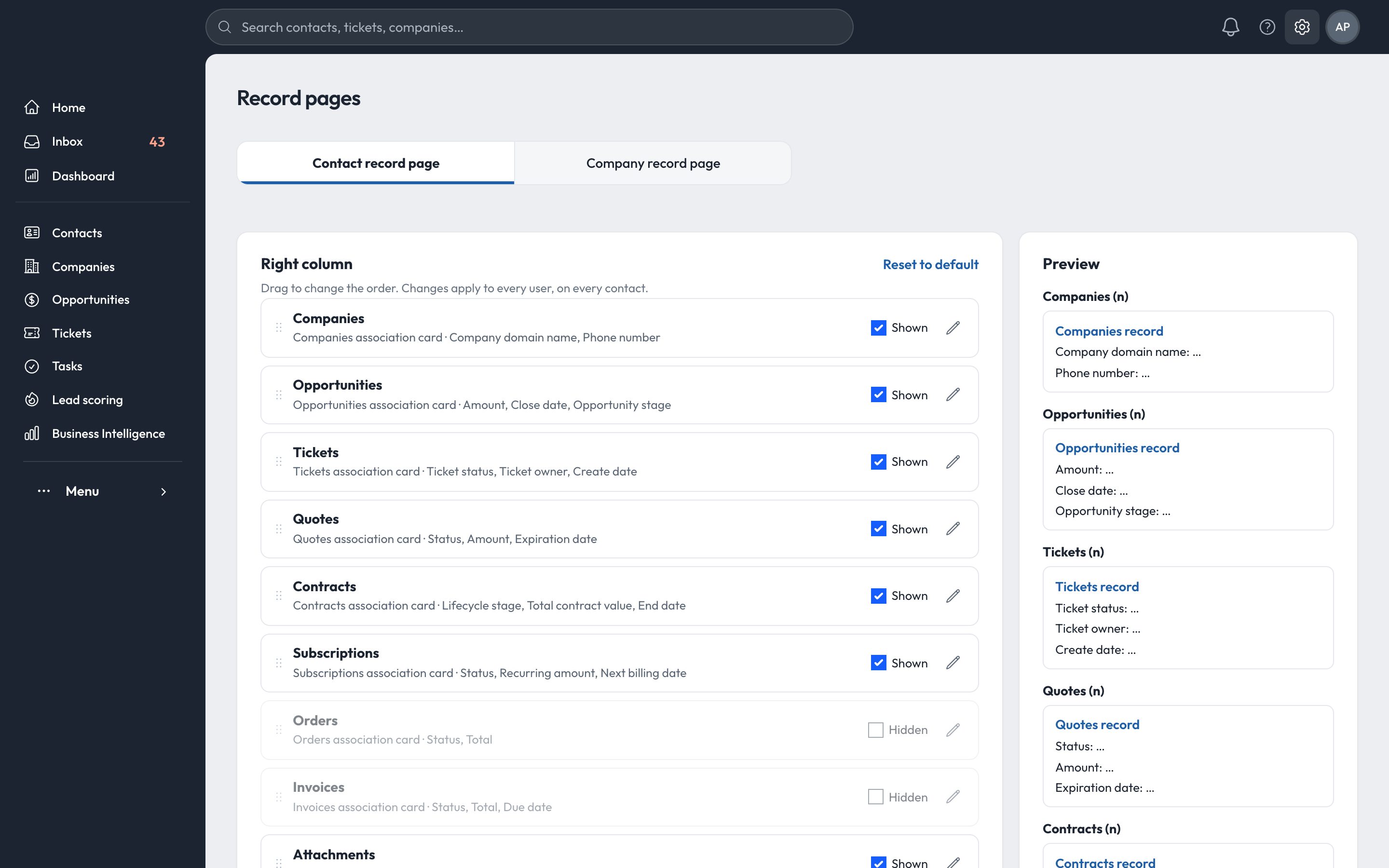
Your record pages

Choose which cards each record shows, and in what order, for the whole team.

Record page settings
All modules
44

modules in a single product, all working on the same contacts and companies.

Sales, marketing, service, billing and reporting in one product. Data from your current CRM can be imported.

Plan your migration →

CRM

ContactsCompaniesOpportunitiesTicketsProductsOrdersProjectsSegmentsInboxCallsMeetingsTasksPlaybooksTemplatesSnippets

Marketing

FormsLead scoringMarketing analytics

Sales

Sales workspaceTarget accountsDocumentsMeetings schedulerSequencesActivity feedForecastSales analytics

Revenue

Revenue overviewRevenue analyticsQuotesContractsInvoicesPaymentsSubscriptions

Service

Help deskCustomer successFeedback surveysService analytics

Data & automation

Data qualityData modelAutomation overviewWorkflows

Reporting

DashboardsReportsGoals
Data sovereignty

Your data stays where your company is.

Every installation runs in the customer's own region: in Switzerland for Swiss companies, in the European Union for European ones.

Hosted in Switzerland
CHCustomers in Switzerland

Swiss data in Switzerland.

  • Database, attachments and backups in Swiss data centres
  • A dedicated instance, not shared with other customers
  • Swiss Federal Act on Data Protection (nFADP)
Hosted in the EU
EUCustomers in the European Union

European data in the European Union.

  • Database, attachments and backups in EU data centres
  • A dedicated instance, not shared with other customers
  • General Data Protection Regulation (GDPR)
Region set in the contractChosen when the installation is created and kept for its whole life.
Backups in the same regionCopies follow the data. They are never stored elsewhere.
Your data, always exportableEvery list and report can be exported to CSV at any time.

Services you choose to connect, such as your Microsoft 365 or Google Workspace mailbox, telephony or the AI provider, process the data they need under their own terms.

Platform

Platform and security.

Dedicated instance

Each customer has its own installation and database, in Switzerland or in the European Union.

Secure sign-in

Password plus a one-time code by email, sign-in policies per workspace, and roles for each user.

Set up from the settings

Pipelines, stages, record pages, menu and owners are changed from the settings, without development.

Integrations

Microsoft 365 or Google Workspace mailbox, Twilio for calls and SMS, Meta for Messenger and Instagram, signed webhooks to n8n.

Italian and English

Each user picks the interface language. Amounts in CHF and other currencies, Swiss number formats.

Import and export

Import from your current CRM or from CSV. Every list and report can be exported to CSV.

ChannelsEmail · Microsoft 365Email · Google WorkspaceCalls & voicemailSMSMessengerInstagramWebsite forms
White label

Your brand, your domain.

The CRM runs under your name, logo and colours, with the terms your team already uses.

Your company CRMcrm.yourcompany.ch · your logo, your colours
Pipelines in your wordsstages, menu and record pages set per customer
One product, kept up to dateevery improvement reaches every installation
Book a demo

See it with your own data.

In 30 minutes we show the CRM on your sales process and plan the move from your current tool.